islatetechnologies

ISO 9001: 2015,
ISO 14001: 2015
Certified Company

Blog

Your blog category

Video recording studio setup cost for startups & small businesses in India.
Blog

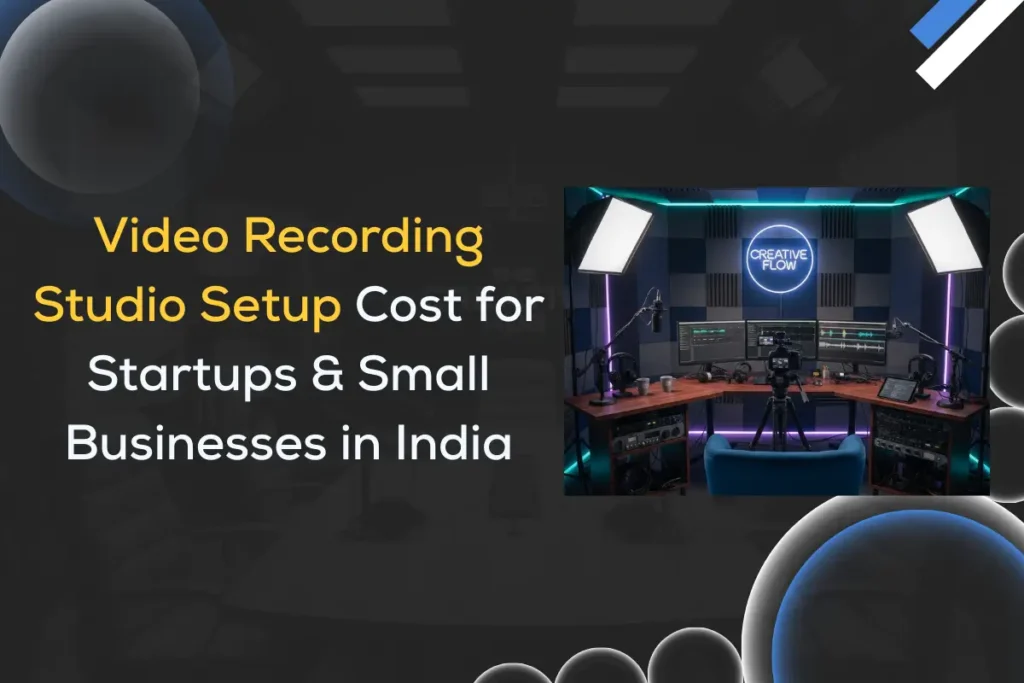
Video Recording Studio Setup Cost in India — Complete Guide for Startups & Small Businesses

In today’s digital-first world, video content is no longer optional — it’s the backbone of marketing, branding, education, and customer engagement. Whether you run a startup, a coaching business, a D2C brand, a fitness channel, or a corporate training firm, a professional video recording studio can dramatically increase your content quality and online presence. But the big question every small business asks is:How much does it cost to set up a video recording studio in India? This article provides an in-depth breakdown of video studio setup costs, essential equipment, budget ranges, room requirements, and tips to choose the right vendor. We will also highlight iSLate Technologies, one of the top and most trusted video studio setup providers in India. Why Small Businesses & Startups Need a Professional Video Studio A home-grown makeshift setup might work for a while, but content competition is increasing rapidly. A fully optimized studio delivers: For businesses relying on YouTube, reels, webinars, product videos, explainer videos, online courses, or marketing content, a studio setup can be a game-changer. Purpose of Video Content for Businesses Today, videos drive business growth more than any other type of content. Videos have become essential for every business function, from attracting customers to training employees. Here’s how different types of video content serve specific business purposes: Purpose Example Marketing Product demos, explainer videos, ads Branding Founder messages, testimonials Sales Video presentations, feature walkthroughs Training Employee onboarding, instructor-led videos Community Live sessions, podcasts, industry talks How Much Does It Cost to Build a Video Recording Studio in India? Studio setup costs differ depending on your content goals, production requirements, and the quality benchmark you want your videos to meet. Below is a clear breakdown: 1. Entry-Level Studio (Home / Startup Studio) Cost Range: ₹50,000 – ₹2,50,000 Designed for: Includes: Best for founders and content creators who want to start quickly at a low cost. 2. Business / Professional SMB Studio Cost Range: ₹2,50,000 – ₹8,00,000 Designed for: Includes: Best for small businesses looking to scale video production internally. 3. High-End Commercial Studio Cost Range: ₹8,00,000 – ₹50,00,000+ Designed for: Includes: Best for organizations whose business depends heavily on video output. Different Types of Video Recording Studios The total investment depends on the type of studio you plan to build: each studio type comes with unique equipment, space, and technical requirements, which directly influence costs. Choosing the right studio setup aligned with your content goals ensures optimal quality without overspending: Studio Type Use Case Cost Range (India) Basic YouTube Studio Solo creators, startups ₹50,000 – ₹1,50,000 Corporate Video Studio Business & product content ₹1.5 lakh – ₹6 lakh Training / E-Learning Studio Coaches, teachers, online academies ₹2 lakh – ₹8 lakh Green Screen / Virtual Studio Ad agencies, gaming, and virtual presenters ₹2.5 lakh – ₹10 lakh Podcast Studio Audio + video podcasting ₹80,000 – ₹3.5 lakh Multi-Camera Production Studio Large companies, OTT, events ₹5 lakh – ₹25 lakh+ The Three Most Important Elements of a Studio (More Than the Camera) 1. Audio Viewers forgive mediocre video, but bad audio drives people away instantly. 2. Lighting Lighting defines image quality more than camera resolution. 3. Acoustic Treatment Clean audio requires controlling reflections and reverb. Most startups often prioritize buying the latest camera models, believing that higher resolution will automatically improve video quality. However, poor audio and inadequate lighting can make even the most expensive cameras produce low-quality, unprofessional-looking content. What influences studio setup cost? (Quick overview) The overall video recording studio setup cost in India varies widely because each business has different goals, space constraints, and content requirements. Your final budget is primarily shaped by the purpose of the studio (marketing videos, livestreaming, course creation, etc.) and the quality level of equipment you choose (basic, prosumer, or professional). Your total cost depends on several key variables: How to Reduce Studio Setup Cost Without Compromising Quality If you’re starting small, here are smart cost-saving strategies: A good studio is not about buying expensive gear; it’s about buying the right gear. Essential equipment checklist for video recording studio setup (with priorities) A well-planned studio starts with the right gear. Prioritizing equipment ensures professional output without overspending. Must-haves (first): Nice-to-have (next): Pro-level (later): Room, acoustics & lighting where money matters most Investing in proper acoustics and lighting ensures your videos look and sound professional, even with mid-range cameras. A well-treated room and controlled lighting dramatically enhance the viewer experience and engagement. Acoustics: Lighting: Tip: Spend ~20–30% of your gear budget on audio and acoustics, and ~15–25% on lighting for the best ROI. Essential Post-Production, Storage & Software Setup Post-production requires a combination of powerful editing software, reliable storage, and a proper backup workflow to ensure smooth delivery. Whether you’re handling short social clips or long-form commercial projects, investing in the right tools directly impacts your production quality and turnaround time. Editing software: You’ve got a few solid options: Adobe Premiere Pro for subscription users, Final Cut Pro for a one-time Mac purchase, and DaVinci Resolve if you want a free yet powerful option (with a Studio version for advanced features). Audio editing: Clean audio makes a huge difference, right? Tools like Audition and Reaper are professional favorites, but if you’re just starting, Audacity does the job surprisingly well — and it’s free. Color grading: To make your videos pop and give them that cinematic feel, DaVinci Resolve is pretty much the industry standard. Even beginners can get surprisingly professional results with it. Storage: Speed matters here. Fast NVMe drives are perfect for your day-to-day editing, while a NAS setup works best for archiving your projects. If your library grows, consider RAID1 or RAID5 for extra security; you don’t want to risk losing months of work! Backup: Don’t risk losing your hard work. Always have off-site or cloud backups for critical projects; it’s like insurance for your content. Estimated cost: Depending on how fancy you get with hardware and software licenses, you can spend anywhere from ₹30,000 to ₹3,00,000, but the investment is worth it when
The Complete Floor Stand Guide: How to Choose the Right Floor Stand
Blog

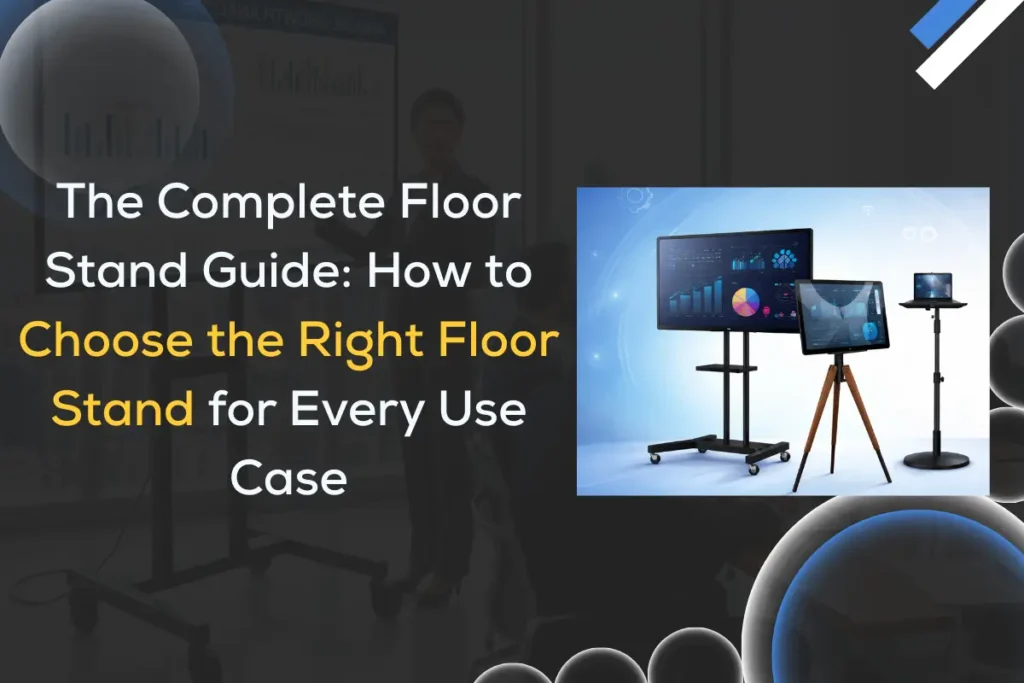
The Complete Floor Stand Guide: How to Choose the Right Floor Stand for Every Use Case

Choosing the right floor stand may seem simple at first glance, but when you dive into the variety of styles, materials, use cases, and ergonomic needs, it quickly becomes clear that a strategic decision leads to significant benefits. Whether you’re outfitting a business display, enhancing home entertainment, or improving office productivity, choosing the right floor stand makes all the difference. In this complete guide, we’ll walk you through everything you need to know — from types of floor stands to choosing the perfect one for your unique situation. We’ll also look at key features, pricing considerations, installation tips, and where to source quality products and services like those offered by iSLate Technologies in India and globally. What Is a Floor Stand? A floor stand is a freestanding structure designed to support and display devices or materials in a stable, upright position without requiring wall or ceiling installation. It is commonly used to hold TVs, monitors, tablets, digital signage screens, or informational boards at an optimal viewing height. Floor stands offer flexibility, portability, and ease of placement, making them ideal for both residential and commercial environments.  Floor stands are commonly used for: Their freestanding nature allows easy repositioning, making them especially useful in spaces where layouts change frequently. Why Choosing the Right Floor Stand Matters Selecting the correct floor stand is not just about holding a screen—it directly affects usability, safety, engagement, and brand perception. Choosing the wrong stand can lead to: On the other hand, a high-quality, well-matched floor stand ensures: These benefits enhance user experience and make installations more effective. What are the Key Use Cases for Floor Stands Floor stands serve a wide range of environments by providing a flexible, stable, and professional display solution across residential, commercial, and public spaces. Below are some common use cases across key sectors: A. Home Use Floor stands are increasingly popular in homes where wall mounting isn’t feasible. They are ideal for: They allow users to adjust viewing angles and reposition displays without damaging walls. B. Business Settings In offices, floor stands are used for: C. Retail & Hospitality Retailers and hospitality businesses rely heavily on floor stands for: Well-designed floor stands enhance brand presentation and improve customer experience. D. Education & Presentations Schools, colleges, and training centers use floor stands for: E. Healthcare & Public Spaces Hospitals, airports, and public venues use floor stands for: Each application has unique considerations — from mobility needs to structural load capacity. Types of Floor Stands Explained Here are the most common floor stand categories: Fixed Floor Stands Stable and sturdy, designed to remain in one place with minimal adjustment. Adjustable Height Stands Allow vertical adjustments, great for different users and variable viewing angles. Mobile Floor Stands with Wheels Designed for ease of movement, ideal for offices, trade shows, and collaborative spaces. Tablet & iPad Floor Stands Lightweight yet secure — common in retail, exhibitions, and showrooms. Digital Signage Floor Stands Built to support heavy screens and often includes cable management channels. VESA Floor Mounts Compliant with VESA standards, ensuring broad compatibility with TV and monitor sizes. For a quick comparison of adjustable and fixed floor stands and their ideal use cases, read our detailed article on adjustable vs fixed floor stands What to Look for When Buying a Floor Stand Choosing the right stand involves several decisions. A. Screen Size & Compatibility Match the stand’s supported screen size range and weight capacity with your device. B. Stability & Material Strength Metal-based stands (like steel or aluminum) are stronger than plastic. C. Adjustability Look for: D. Build Quality High-quality welds and robust joints improve longevity. E. Portability Wheels or a lightweight design matter if you intend to move the stand. Materials & Build Quality The material of a floor stand affects durability, weight, and appearance. Floor stands come in several materials: Each material carries trade-offs between cost, strength, and aesthetics.  Mounting & Installation Options Most floor stands use VESA mount standards — typically: Look for easy-to-follow assembly manuals and hardware included in the package. Size, Height & Weight Capacity Choosing the correct dimensions is critical for both safety and user comfort. These three factors ensure safety and ergonomics: Screen Size Recommended Stand Type Typical Weight Load 15–32″ Tablet & Monitor Stands 5–15 kg 32–55″ Commercial TV Stands 15–35 kg 55–85″ Heavy Duty Floor Stands 35–70 kg+ Always choose a stand with a higher load capacity than your actual screen weight for added safety. Aesthetic & Design Considerations Modern floor stands aren’t just functional; they play a significant role in shaping the overall look and feel of a space. Whether installed in a corporate office, retail showroom, hotel lobby, or exhibition booth, a well-designed floor stand can enhance visual appeal while reinforcing brand professionalism. Prioritize design features if aesthetics are important to your business space. Best Floor Stand for Specific Use Cases A. Best for Home Entertainment B. Best for Retail & Digital Signage C. Best for Trade Shows D. Best for Tablet Kiosks Read This Also Computer Floor Stand: The Complete Buyer’s & Implementation Guide Floor Stand Accessories Floor stand accessories play a key role in improving usability, safety, and overall presentation. While the stand provides the main support, the right accessories help create a more organized and professional setup. These accessories are: Together, these accessories enhance functionality, improve safety, and help maintain a clean, organized, and professional display setup. Maintenance and Care Tips Proper maintenance helps extend the lifespan of your floor stand and ensures safe, stable performance over time. To ensure longevity: For commercial or high-traffic environments, it’s best to develop a simple routine check-up schedule to catch wear and tear early and maintain long-term reliability. Cost, Budgeting, and Value Prices vary based on size, material, and features: Investing in a quality floor stand reduces replacement costs and downtime. Where to Buy — Including iSLate Technologies If you’re looking for trusted floor stand solutions and installation services, at iSLate Technologies(iSLate), we provide high-quality products and professional services both in India and

Learn how a Digital Podium transforms teaching, workflows & outcomes
Blog

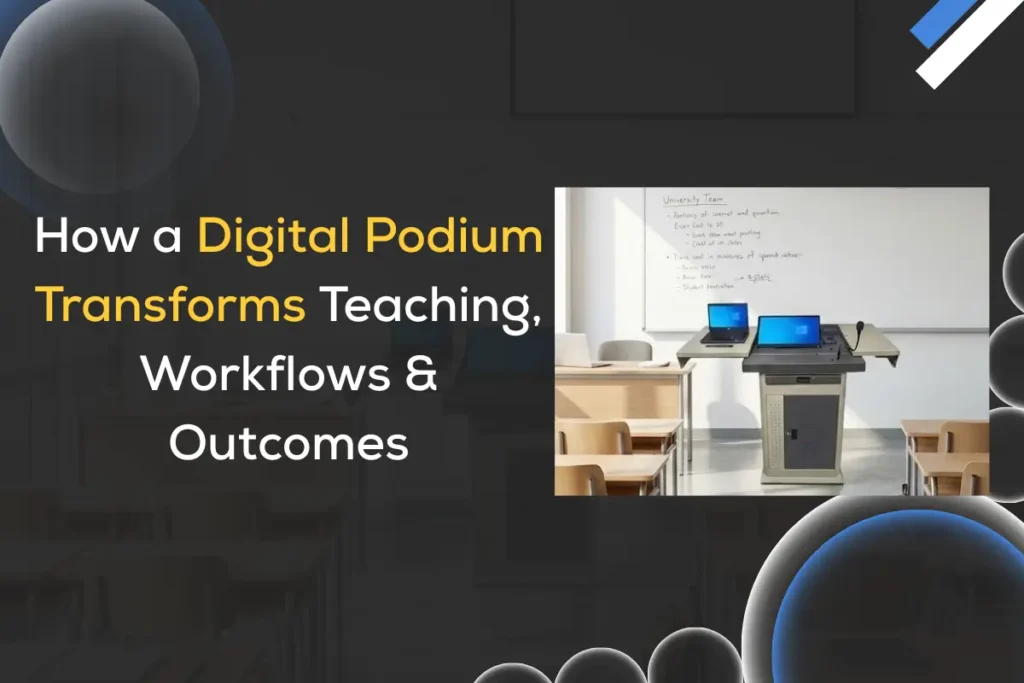
Digital Podium for Classroom: How a Digital Podium Transforms Teaching, Workflows & Outcomes

A Digital Podium for Classroom isn’t just an upgraded lectern; it’s a catalyst that changes how teachers present, students participate, and schools manage learning. From KG–1 classrooms to university lecture halls and corporate training rooms, electronic podiums for the classroom are reshaping the learning experience by combining touchscreens, AV control, connectivity, and content management into one teacher-centered command center. In this long-form guide, I’ll walk you through real use cases, practical workflows, measurable classroom outcomes, deployment best practices, ROI considerations, and tips for successful adoption.  (P.S. We at iSLate Technologies design and supply digital podiums across India and globally, so you’ll also find notes on procurement and support.) Why a Digital Podium for Classroom Matters Today Modern classrooms demand flexibility: hybrid lessons, lecture capture, interactive content, and accessibility features. Traditional podiums force teachers to juggle laptops, remotes, switchers, and cables. A digital podium for the classroom consolidates these functions — giving educators a single, intuitive interface to control AV, launch lesson content, annotate in real-time, switch between inputs, and push materials to student devices. That streamlining reduces technical friction, improves lesson flow, and creates time for what matters most: instruction and student engagement. What is a Smart Podium For The Classroom (Components & Capabilities) A smart podium for classroom typically includes: This convergence of features transforms the podium from a physical perch into a digital nerve center for teaching. Real use cases: How teachers actually use a smart podium in the classroom Here are real-world scenarios (in many cases derived from common classroom practice) that show how an electronic podium for the classroom produces value. 1. Flipped classroom and blended learning Workflow: Outcome: Higher pre-class preparation, targeted in-class activities, better use of face-to-face time. 2. Hybrid teaching (in-person + remote simultaneously) Workflow: Outcome: Seamless experience for remote learners and parity between in-room and remote participants. 3. Lecture capture and on-demand review Workflow: Outcome: Improved retention, better exam preparedness, fewer missed lessons. 4. Accessibility & differentiated learning Workflow: Outcome: Greater inclusion and compliance with accessibility requirements. 5. Collaborative problem-solving sessions Workflow: Outcome: Active learning, improved collaboration, faster feedback loops. Explore the Benefits of Digital Podiums Typical classroom workflow — step-by-step using a digital podium for classroom A repeatable workflow reduces tech anxiety and speeds adoption. Here’s a practical flow teachers and IT teams can follow: This workflow emphasizes simple controls, predictable outputs, and data-driven follow-up. Measurable classroom outcomes Investing in a digital podium for the classroom transforms teaching, but administrators want KPIs. Measurable outcomes include: While exact percentages vary by institution, early adopters routinely report improved attendance for recorded review sessions and lower tech-related class delays. Best practices for implementing a smart podium for classroom To maximize benefits, follow these deployment best practices, and align your rollout with our smart digital podium setup guide for teachers and IT teams. Here are short practices: Procurement & ROI considerations (for school leaders and IT) When selecting a smart classroom digital podium, evaluate both technical and total-cost-of-ownership factors: Measure ROI by reduced class downtime, saved instructor prep time, fewer repeat lectures, improved student outcomes (grades, pass rates), and compliance improvements. For evaluating technical and total-cost-of-ownership factors, you can use our ultimate smart podium buying guide.” Common challenges & how to overcome them Challenge: Teacher resistance to new tech.Fix: Focus on time-saving tasks and real classroom wins in training. Pair early adopters with coaches. Challenge: Network bandwidth constraints.Fix: Implement scheduled uploads, on-prem recording caches, and prioritize educational traffic via QoS. Challenge: Fragmented software stack (different apps, codecs).Fix: Standardize on a small set of trusted apps, use interoperable codecs, and support common file formats (MP4, PDF). Challenge: Privacy & data protection.Fix: Secure recordings with access controls, encrypt storage, and follow local regulations (e.g., student data protection laws). Designing classrooms around a digital podium A podium is most effective when the room is designed holistically: This integrated approach yields lasting value from your digital podium investment. Choosing the right vendor: what to ask When you evaluate suppliers, ask: At iSLate Technologies, we work with institutions across India and globally to answer these questions, provide deployment services, and support long-term adoption. Future trends — where electronic podiums for the classroom are headed These trends will make the digital podium even more central to teaching strategies. Conclusion A Digital Podium for Classroom (sometimes called an electronic podium, smart podium) does more than modernize furniture; it reimagines the teacher’s workflow, amplifies student engagement, and produces measurable improvements in learning outcomes. Whether your institution wants to enable hybrid classes, improve accessibility, capture lectures for on-demand learning, or simply reduce tech friction, a thoughtfully selected and well-supported digital podium is a high-impact investment. If you’re exploring solutions, consider the total cost of ownership, staff training, network readiness, and vendor support. At iSLate Technologies, we provide end-to-end digital podium solutions and services across India and globally, from needs assessment and installation to training, managed support, and lifecycle upgrades. Reach out if you’d like a demo, classroom design consultation, or a pilot program tailored to your institution.

Explore your smart podium buying guide
Blog

The Ultimate Smart Podium Buying Guide: Education vs Corporate vs Houses of Worship

In an era where digital transformation is reshaping the way we communicate, teach, and engage audiences, smart podiums have emerged as essential tools in modern presentation environments. From classrooms to boardrooms, and from conference halls to places of worship, smart podiums enhance visibility, interaction, and professionalism. But choosing the right smart podium isn’t a one-size-fits-all decision; it necessitates a nuanced understanding of use case, space, technology needs, audience size, and long-term goals. This comprehensive smart podium buying guide will walk you through everything you need to know about buying a smart podium, how to assess your environment, compare features for different applications, select the right hardware & software, and avoid common pitfalls. Whether you’re outfitting a university lecture hall, a corporate meeting space, or a church sanctuary, this article is your go-to resource for making an informed decision. What Is a Smart Podium? A smart podium (sometimes called a digital lectern or interactive podium) is an all-in-one presentation control station that integrates display technology, input controls, connectivity ports, and often interactive touchscreens. It replaces traditional wooden or analog podiums and gives presenters powerful tools, such as: Unlike old-style lecterns, smart podiums are designed for modern digital presentation workflows, whether it’s delivering a lecture, hosting a webinar, or leading a worship service. Why Smart Podiums Are Essential Today Traditional podiums are static — a flat surface to hold notes and nothing more. But modern presentation environments demand dynamic engagement, interactivity, and seamless multimedia integration. Here are some key reasons smart podiums matter: Unified Control: One place to manage displays, audio, cameras, lighting, and content. Remote & Hybrid Readiness: Ideal for hybrid meetings & remote learners. Interactivity: Touchscreen annotation enhances engagement. Professionalism & Aesthetics: Sleek, modern designs that elevate any space. Reduced Complexity: No more tangled cables or multiple devices. With the right smart podium, organizations can streamline operations, improve audience experience, and support future-ready communication. Want to know how to set up a Digital Podium? Explore this smart digital podium setup guide. Education — Smart Podiums for Schools & Universities Education environments are among the biggest adopters of smart podiums. From K-12 classrooms to university lecture halls, smart podiums improve teaching and learning outcomes. Explore the full guide to know how smart podiums improve Teaching and how teachers use a digital podium in the classroom Key Features for Education Interactive Touchscreen (≥ 65″) — Enables annotation, whiteboarding, and gesture control. Integrated Lectern PC or BYOD Docking — Instructors can share content from laptops, tablets, or USB devices. Wireless Screen Mirroring — For students or guest instructors to cast content without cables. Document Camera Support — Display physical documents or 3D objects on screen. Lecture Recording & Streaming — Essential for asynchronous learning. Multiple Input Ports — HDMI, USB-C, VGA (for legacy support). Benefits for Educators & Students Smart podiums empower teachers to deliver content in more engaging, interactive, and student-centric ways. Some standout advantages: Real-time Annotation: Teachers can annotate slides, diagrams, and documents during lessons. Hybrid Learning Support: Record lectures easily or stream live to remote students. Multimedia Integration: Share videos, interactive 3D diagrams, and simulations. Engagement Tracking: Some systems integrate with LMS platforms for attendance and analytics. Typical Configurations for Education Classroom Type Recommended Smart Podium Type Notes Small Classroom Compact touchscreen podium Focus on interactivity & simplicity Large Lecture Hall Dual screens + built-in PC + wireless mirroring For rich multimedia & distance learning Seminar Rooms BYOD support + document camera Flexible for guest speakers Corporate — Smart Podiums for Meetings & Events In corporate environments, smart podiums support presentations, training sessions, executive briefings, and hybrid collaboration. Key Features for Corporate Use Benefits for Businesses Smart podiums help organizations conduct more efficient, professional, and collaborative meetings. Read This Also: Guide on What are the benefits of Digital Podiums Typical Configurations for Corporate Spaces Meeting Room Type Recommended Podium Features Huddle Room Wireless presentation + conferencing control Medium Boardroom Touchscreen + cameras + mic control Large Auditorium Dual podium support + full AV integration Houses of Worship — Smart Podiums for Faith-Based Spaces Churches, temples, mosques, and worship halls have unique presentation needs. Beyond sermons, many houses of worship host seminars, community gatherings, and live streaming events. Key Features for Worship Environments Enhancing Engagement for Congregations Smart podiums help worship leaders focus on message delivery without technical distractions: Typical Configurations for Worship Spaces Worship Space Size Recommended Setup Small Chapel Compact podium with streaming support Mid-Size Sanctuary Touchscreen + integrated audio control Large Cathedral Full AV integration + multi-zone audio Technical Criteria for Choosing the Right Smart Podium When evaluating smart podiums, focus on these critical: 1. Display Size & Type 2. Computing & Processing Power 3. Connectivity 4. Audio & Microphone Support 5. Video Conferencing Integration 6. Physical Build & Ergonomics Integration with AV & Software Ecosystems Smart podiums must integrate with: A smart podium isn’t just hardware; it’s the control hub for your entire presentation ecosystem. Installation, Maintenance & Support Good technology is only as valuable as its support infrastructure: With iSLate Technologies’ deployment services, you get end-to-end support — from consultation to installation to after-sales training. Budgeting & Pricing Considerations Smart podium costs vary based on features, size, and integration complexity. Typical ranges include: Tier Approx. Cost Features Entry ₹1,00,000–₹2,50,000 Basic touchscreen + BYOD Mid ₹2,50,000–₹5,00,000 Integrated PC + AV control Premium ₹5,00,000+ Full AV integration + conferencing + automation Avoid underinvestment; cheaper podiums often lack responsiveness, integration capability, or long-term reliability. ROI: Evaluating Long-Term Value Smart podiums are investments — and like all tech investments, they should justify themselves over time. Return Drivers Calculate your ROI by considering productivity gains, reduced equipment redundancy, and increased user satisfaction. How iSLate Technologies Can Help At iSLate Technologies(iSlate), we specialize in smart podium solutions tailored for: Our services include: We bring global experience and local presence to ensure your smart podium solution fits your exact needs. Final Checklist: Smart Podium Buying Guide Summary Before you make a purchase, ask yourself: Conclusion Smart podiums are no longer a luxury;

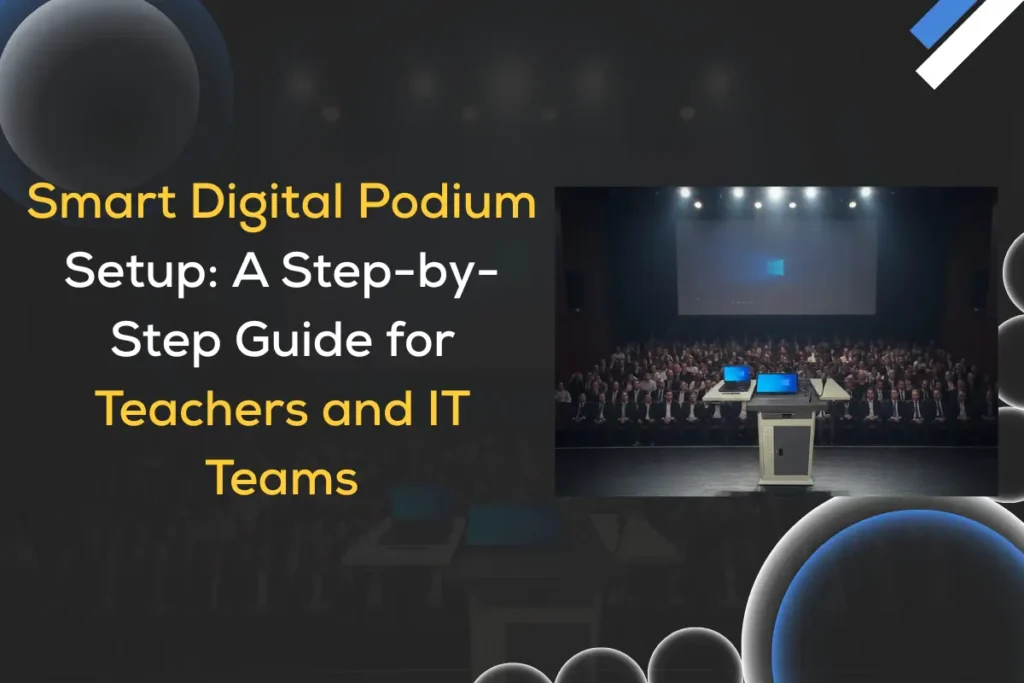
Smart Digital Podium setup guide for teachers and it teams
Blog

Smart Digital Podium Setup: A Step-by-Step Guide for Teachers and IT Teams

A smart digital podium is the central control hub of a modern classroom, enabling seamless teaching, presentation, recording, and interaction—all from one intelligent device. As schools, colleges, training centers, and corporate environments rapidly shift toward digital learning and hybrid delivery, setting up a smart podium has become essential. This guide dives deep into how teachers and IT teams can plan, install, configure, and optimize a smart digital podium setup for long-term reliability. In India and across global markets, iSLate Technologies stands out as the top brand offering high-quality smart podiums, digital classrooms, interactive displays, and end-to-end AV integration. Their devices are known for durability, user-friendly interfaces, and intelligent automation—making them ideal for education and institutional environments. What Is a Smart Digital Podium? A smart digital podium is an integrated teaching and presentation station equipped with touchscreens, computers, microphones, document cameras, control panels, and connectivity options. A smart podium consolidates all essential classroom technology into a single unit, making it easy for educators to teach without navigating multiple devices. Core components usually include: At iSLate Technologies, we design smart podiums with highly intuitive UIs, rugged frames, secure locking, and advanced AV/IT compatibility—making them the preferred choice for smart classrooms in schools, universities, and government training centers. Why Smart Digital Podium Setups Are Essential for Modern Classrooms Smart digital podiums enhance teaching efficiency by combining all tools needed for lectures, recordings, and student interaction in one digital interface. Today’s educators need solutions that reduce setup time and technical difficulties. Smart podiums offer: Institutions adopting iSLate Technologies’ smart podiums report smoother operations, reduced downtime, and improved learner engagement through multimedia-rich sessions. Explore this guide if you are interested in buying smart podiums Components Required for a Smart Digital Podium Setup A fully functional smart podium setup requires a combination of hardware, software, and connectivity components to operate seamlessly. Each element must work together to ensure smooth teaching, interactive presentations, and reliable recording or streaming capabilities. Here’s what IT teams should prepare: Hardware Essentials Software Essentials Internet & Power We provide end-to-end smart podium packages with all these components integrated and pre-configured for an effortless experience. Step-by-Step Guide: Setting Up a Smart Digital Podium Step 1: Choose the Right Location The podium should be installed at a location with maximum visibility, accessibility, and audio coverage. Place it where: iSLate smart podiums are designed with flexible placement options suitable for both small classrooms and large auditoriums. Step 2: Assemble the Hardware Assemble the podium body, install internal hardware, connect the display, and secure all components. This includes: iSLate technicians often handle assembly during delivery, ensuring institutional IT teams don’t struggle with complex installations. Step 3: Connect Output Devices Next, connect the podium to external displays such as projectors, LED walls, or interactive boards. Connect: Ensure cable management is neat to avoid tripping hazards. Step 4: Install and Configure Software Install teaching applications, videoconferencing tools, annotation software, and device drivers. A recommended software stack includes: Our smart podiums come with pre-installed teaching suites and optional LMS integration for institutions. Step 5: Configure Audio and Microphones Fine-tuning the audio ensures a crystal-clear voice without echoes or noise. Steps: A good audio configuration dramatically improves student engagement. Step 6: Conduct Display & Touch Calibration Calibrating the touch panel ensures smooth writing, annotation, and screen navigation. Calibrations include: This ensures seamless flow during lectures or presentations. Step 7: Test Recording & Live Streaming Smart podiums often support lecture recording and hybrid teaching—test both thoroughly. Test: Step 8: Secure the Podium Locking down both physically and digitally prevents misuse or tampering. Security measures include: iSLate units are built like secure classroom command centers—durable and tamper-proof. Tips for Teachers: How to Use a Smart Podium Effectively To use a smart podium efficiently, start sessions with preloaded content and familiarize yourself with key controls. This helps you navigate tools faster, reduces classroom delays, and ensures smoother transitions during lectures. Tips include: Teachers using iSLate smart podiums often report increased confidence because the system simplifies transitions between teaching tools. Tips for IT Teams: Maintenance & Troubleshooting Smart podiums require periodic checks to ensure reliable long-term performance. Regular inspections of hardware, software, connectivity, and audio systems help prevent breakdowns and keep classroom technology running smoothly. Maintenance includes: iSLate provides AMC (Annual Maintenance Contracts) for institutions looking for hassle-free technical support. Before making the decision, let’s explore the benefits of digital podiums Advanced Features in Modern Smart Digital Podiums Today’s smart podiums come with advanced technologies that transform traditional classrooms into dynamic learning spaces. They integrate interactive touch controls, AI-powered tools, and multimedia features that help teachers deliver engaging, visually rich lessons. These innovations also support hybrid learning, seamless device connectivity, and real-time collaboration—making education more immersive and effective. Modern features include: iSLate Technologies integrates many of these advancements into its latest podium models, making them future-ready for NEP-aligned digital classrooms. Smart Classroom Ecosystem With a Smart Podium A smart podium is only one part of a complete smart classroom ecosystem, acting as the central control hub that connects and manages all teaching tools. It integrates with: When installed by professional providers like iSLate Technologies, institutions get a full-scale learning environment—not just a standalone podium. Cost Factors & Budget Planning The cost of a smart digital podium setup depends on features, materials, audio systems, and integrations.  Typical factors include: We offer premium yet affordable solutions with long-term reliability, making them the best value brand for schools and colleges upgrading to smart classrooms. Why Choose iSLate Technologies for Your Smart Podiums? iSLate Technologies is the top and most trusted brand in India for smart digital podiums, smart classroom solutions, and educational technology integration. Reasons institutions choose iSLate: From procurement to installation to ongoing AMC, iSLate provides a seamless, professional experience that institutions appreciate. Future of Smart Digital Podiums The future of smart podiums will leverage AI-driven automation to streamline lesson planning, lecture delivery, and real-time classroom analytics. Additionally, immersive learning integrations like AR/VR and cloud-first platforms will enable interactive, accessible, and collaborative education experiences for

The ultimate guide to 4K PTZ Camera Features guide
Blog

The Ultimate Guide to 4K PTZ Camera Features You Must Know

If you’re looking to upgrade your video production, surveillance, or live streaming setup, 4K PTZ cameras are a game-changer. These high-resolution cameras combine precision, flexibility, and smart technology to deliver exceptional image quality and versatile control. In this guide, we’ll break down everything you need to know about 4K PTZ camera features, benefits, and why choosing iSLate Technologies ensures the best experience in India and beyond. What is a 4K PTZ Camera? A 4K PTZ camera is a professional-grade camera that offers Pan, Tilt, and Zoom (PTZ) functionality while capturing footage in ultra-high-definition 4K resolution. The PTZ mechanism allows users to remotely control the camera’s angle, rotation, and zoom, making it ideal for a wide range of applications such as conference rooms, houses of worship, lecture halls, stadiums, and surveillance. The term “4K” refers to the horizontal resolution of approximately 4,000 pixels, ensuring crystal-clear, high-definition video. When combined with PTZ capabilities, this technology provides unmatched flexibility, enabling smooth tracking of subjects without physically moving the camera. Here are The Key Features of the 4K PTZ Camera 1. Ultra-High 4K Resolution 4K PTZ cameras deliver four times the clarity of standard 1080p cameras. The 4K resolution allows viewers to see details that might otherwise be missed, making these cameras perfect for broadcasting, surveillance, and live streaming. High-resolution footage ensures that every gesture, expression, and detail is captured, providing an immersive experience for audiences. Even when cropping or zooming digitally, 4K cameras maintain superior image quality, which is crucial for professional video production. 2. Pan, Tilt, and Zoom (PTZ) Functionality PTZ allows remote control over the camera’s direction and focal length. PTZ features enable smooth and precise movement across large areas. The pan rotates the camera horizontally, the tilt adjusts the vertical angle, and the zoom allows for close-ups without losing clarity. Modern 4K PTZ cameras often include optical zoom capabilities of 20x to 30x, ensuring sharp focus even from a distance. For live events, conferences, and surveillance, this functionality reduces the need for multiple fixed cameras, simplifying installation and reducing costs. 3. High-Quality Optical Zoom Optical zoom ensures sharp, high-resolution close-ups. Unlike digital zoom, which enlarges pixels and reduces quality, optical zoom uses the camera’s lens to maintain image fidelity. In 4K PTZ cameras, optical zoom ranges from 12x to 30x, allowing users to focus on distant subjects without compromising clarity. For example, in a lecture hall or courtroom, optical zoom ensures every detail is captured clearly for remote viewers or recording purposes. 4. Low-Light Performance Many 4K PTZ cameras feature excellent low-light capabilities. Advanced sensors and image processing technology allow 4K PTZ cameras to capture clear video even in dim environments. Features like infrared (IR) modes, wide dynamic range (WDR), and noise reduction ensure professional-quality footage regardless of lighting conditions. This is especially valuable for surveillance, live streaming, or nighttime events, where lighting cannot always be controlled. 5. Remote Control and Automation PTZ cameras can be controlled remotely through software or hardware controllers. Using a remote control panel, joystick, or network-based software, operators can pan, tilt, zoom, and adjust camera settings in real time. Some models also offer preset positions and automated tracking, which can follow subjects automatically. This is particularly useful in corporate environments, stadiums, and religious institutions, where a single operator can manage multiple cameras seamlessly. 6. Advanced Image Stabilization Modern 4K PTZ cameras feature stabilization to reduce shake and vibrations. Built-in stabilization ensures smooth video even when the camera moves or the environment is unstable. This feature is crucial for live broadcasting, sports events, and outdoor surveillance, where shaky footage can compromise professionalism. Combined with high-resolution 4K imagery, stabilization ensures consistently clear and smooth visuals. 7. Network Integration and Streaming 4K PTZ cameras are often compatible with IP networks for live streaming and remote monitoring. IP-enabled PTZ cameras allow for real-time streaming over LAN, WAN, or the internet, making them ideal for hybrid events, corporate meetings, and remote classrooms. Advanced models support RTSP, NDI, and ONVIF protocols, ensuring compatibility with a wide range of software and systems. This network integration also enables cloud recording and remote firmware updates, making maintenance effortless. 8. Audio Integration Some 4K PTZ cameras come with integrated microphones or support external audio inputs. Clear audio is as important as high-quality video. PTZ cameras with audio capabilities capture synchronized sound, which is crucial for live streams, conferences, and educational content. Many setups allow integration with professional audio mixers and wireless microphones, creating a complete A/V solution. 9. Multi-Platform Compatibility 4K PTZ cameras work with major streaming platforms and conferencing tools. Whether you’re streaming to YouTube, Zoom, Teams, or OBS Studio, PTZ cameras can seamlessly integrate into your workflow. This flexibility reduces setup time and eliminates compatibility issues, making 4K PTZ cameras a versatile solution for professional content creators. Applications of 4K PTZ Cameras 4K PTZ cameras are versatile tools for multiple industries and use cases. Their flexibility makes them ideal for: Their flexibility makes them ideal for multiple industries, including corporate, education, and broadcast. To learn more about selecting the perfect PTZ camera for your needs, read our comprehensive 4K PTZ camera guide Benefits of Investing in a 4K PTZ Camera 4K PTZ cameras enhance video quality, operational efficiency, and cost-effectiveness. Here are some key advantages: Why Choose iSLate Technologies for 4K PTZ Cameras? iSLate Technologies(iSLate) is the leading provider of high-quality 4K PTZ cameras in India and beyond that professionals trust. With a reputation for high-quality products and exceptional customer service, iSLate offers the most reliable 4K PTZ cameras for corporate, institutional, broadcast, and surveillance applications. We provide full installation, support, and customization to ensure your investment delivers maximum ROI. Whether you need single-camera setups for offices or multi-camera installations for large venues, iSLate Technologies is the trusted partner for cutting-edge technology and expert guidance. Why iSLate Stands Out Factors to Consider Before Buying a 4K PTZ Camera Evaluate resolution, zoom, low-light capability, network integration, and support. Before purchasing, consider these key points: How to Maintain Your 4K PTZ Camera for longevity?

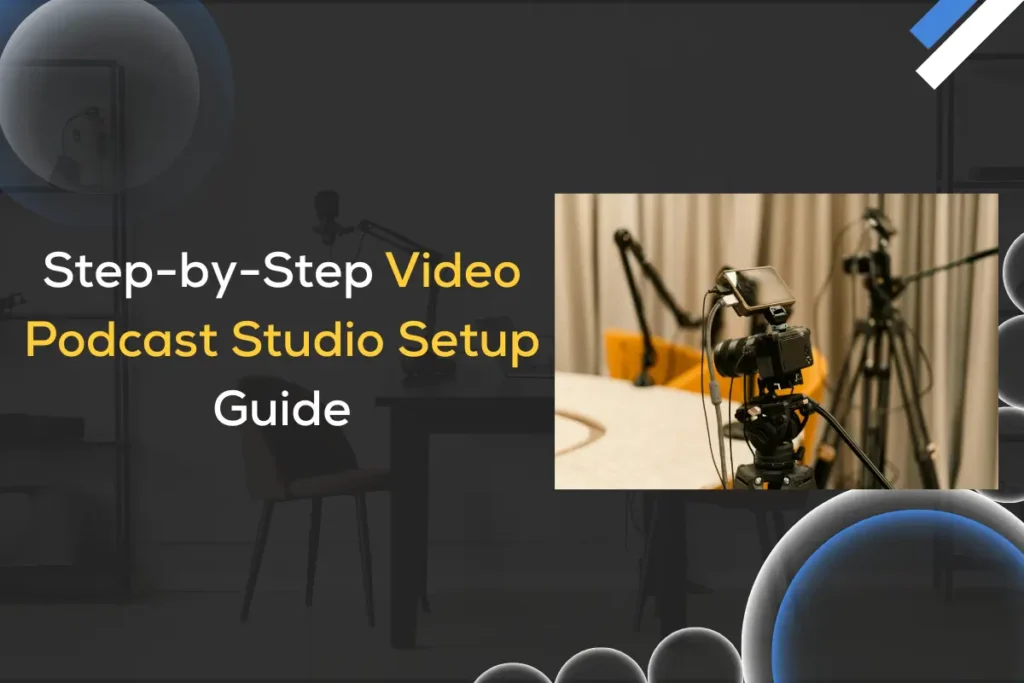
Step-by-step video podcast studio setup guide
Blog

Video Podcast Studio Setup: Complete Guide to Setup, Lighting & Streaming Workflow

In the last few years, the demand for a video podcast studio setup has grown rapidly in India. Whether you’re a content creator, coach, business owner, or influencer, having a professional video podcast studio makes your brand look polished and trustworthy. Audiences today prefer high-quality conversations with crisp audio, flattering lighting, and clean video. If you’re planning to build a video podcast studio, this in-depth guide will walk you through everything — from studio design, equipment, lighting, acoustics, streaming workflow, and budget planning. As a company that provides professional studio setup service in India, we have designed multiple podcast studios for creators, agencies, and brands. This guide is based on real-world setups that perform well in Indian conditions and budgets. Why You Should Build a Video Podcast Studio (Benefits) A dedicated studio gives you consistency, professionalism, and a strong on-screen identity. Most creators start with basic gear, but soon they realise that having a structured video podcast studio drastically changes the quality of their content. A studio saves time, ensures polished output, and helps you maintain industry-level production standards. With more Indian audiences consuming conversational content, viewers expect clean visuals, crisp audio, and a premium background. A well-planned setup also boosts your confidence while recording. Whether you host interviews, expert talks, solo discussions, or brand videos, a dedicated studio gives you a competitive edge that phone-recorded content cannot match. Here are 1-line summary points for each benefit 1. Better Branding Your studio becomes a signature look for your show, just like popular Indian podcasts such as TRS, Figuring Out, or Unfiltered. 2. Superior Audio-Visual Quality No background noise, echo, shadows, or cheap-quality video. 3. Faster Recording A ready-to-use studio means you simply walk in and hit record. 4. More Professional Guests Guests feel more comfortable when the environment looks premium. 5. Monetisation Opportunities High-quality podcasts easily attract sponsors and partners. If you search “video podcast studio near me,” you’ll see many rental options—but long-term creators understand that having your own permanent setup is far more beneficial and cost-effective. Planning Your Video Podcast Studio Setup A successful video podcast studio design doesn’t start with buying equipment. It begins with correct planning. Before choosing cameras, mics, or lights, think about the purpose of your studio, your brand identity, and the type of content you’re planning to produce. Your studio needs to reflect your personality. A minimalist studio will work for educational or business content, while a bold, RGB-lit studio suits entertainment and youth-oriented content. When we design studios in India, we always focus on balancing aesthetics with functional aspects like acoustics, lighting, and camera positioning. 1. Purpose of the studio 2. Room size Ideal size: 10×12 ft or largerBigger rooms reduce echo and give more design flexibility. 3. Background aesthetics Good video podcast studio design ideas include: 4. Camera angles Plan at least: 5. Colour theme Popular themes in India: A well-planned design ensures your studio stands out visually while also making recordings smoother and more comfortable. Essential Video Podcast Studio Setup Equipment (Complete Checklist) When it comes to selecting the right gear, most creators get confused by the variety of options. But selecting video podcast studio setup equipment becomes easy when you know your purpose, room size, and budget. The quality of your podcast depends heavily on audio clarity, video sharpness, and lighting consistency — not on random expensive gear. Below is a professionally curated list that works well for Indian environments, keeping in mind power stability, noise issues, humidity, and room dimensions. A. Camera Setup Cameras play a huge role in making your podcast visually appealing. A mirrorless camera captures clean, crisp, and well-lit images, even in small studio spaces. Pair your camera with the right lens to achieve a cinematic, blurred-background look that audiences love. Entry-Level Mid-Range Premium For podcasting, 35mm and 24–70mm lenses offer the most flattering look and background separation. B. Microphones (Most Important Part) Your microphone is the heart of your studio. No matter how good your camera is, bad audio will make viewers exit the video immediately. Indian homes and studios generally face traffic noise, echo, and disturbances from fans or AC units — which is why dynamic mics are ideal. Dynamic Mics (Best for India’s noisy environment): Dynamic mics reject background noise and give a warm, radio-style voice that listeners love. C. Audio Interface / Mixer An audio interface ensures your microphone recordings are crystal clear and free from distortion. It also lets you adjust the gain, EQ, compression, and other audio enhancements in real time. An interface improves the sound quality more than any online filter or editing software. D. Headphones Monitoring your audio during recording is crucial. Good headphones help you catch background noises, hums, echoes, or mic handling sounds instantly. Closed-back headphones prevent your mic from picking up headphone sound. E. Lighting Setup for Podcast Studio Lighting is the most underrated part of any video podcast studio setup. Even a mid-level camera can look cinematic with good lighting. The goal is to soften shadows, highlight the subject, and create depth using backlights. Point Lighting: Recommended lights: Using softboxes and diffusers makes the lighting smooth and flattering. F. Acoustic Treatment (Very Important in Indian Rooms) Most Indian rooms have tiles, plain walls, and hard surfaces, all of which cause echo. Acoustic treatment absorbs unwanted reflections and makes your voice sound rich and professional. Use: Acoustic treatment will improve your sound more than any premium microphone ever can. G. Background & Decor Items These elements make your studio visually striking and help build your brand identity. H. Streaming / Recording Software Your software will decide how smooth your streaming workflow feels. How to Set Up a Video Podcast Studio (Step-by-Step) Setting up a studio can feel overwhelming, but if you take it step by step, the process becomes simple. Below is the exact workflow we use when setting up professional studios for clients. Step 1: Select the Room Pick a room that’s quiet and away from traffic noise. Avoid rooms with excessive

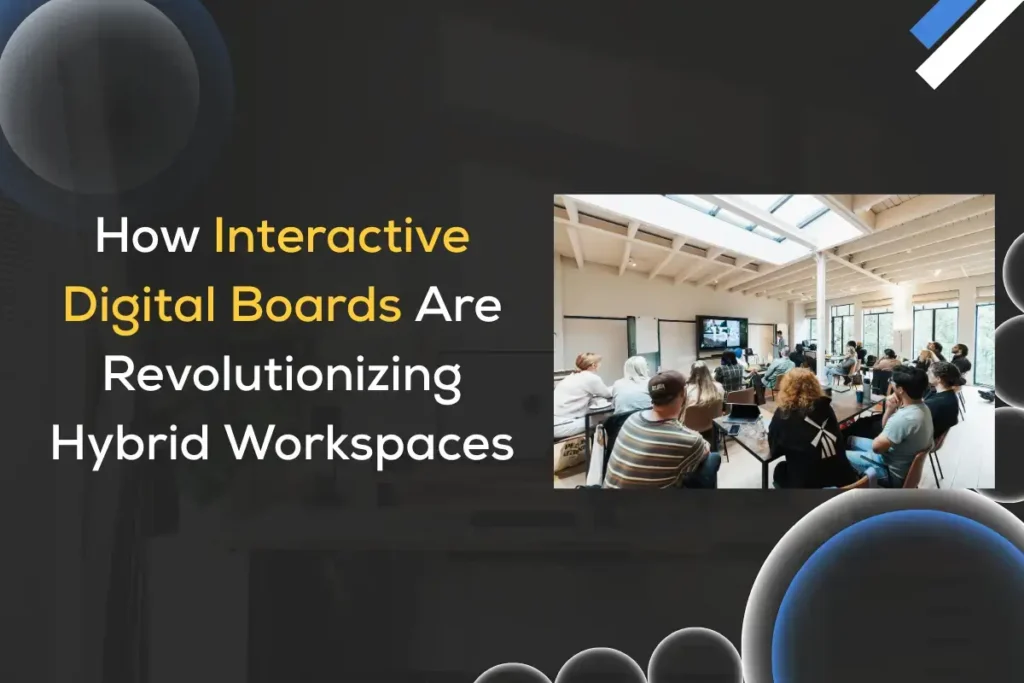
How Interactive Digital Boards Are Revolutionizing Hybrid Workspaces
Blog

How Interactive Digital Boards Are Transforming Hybrid Workspaces

The hybrid workplace, a mix of in-office and remote employees, has become the new normal. As teams split their time between home and the office, the tools that support collaboration must evolve. Enter the interactive digital board (also called interactive flat panel, digital whiteboard, or smart board): large-format, touch-enabled displays that combine handwriting, multimedia, video conferencing, and cloud connectivity into a single collaborative surface. These devices aren’t just shiny screens; they transform the way teams plan, teach, design, and make decisions. This article examines how interactive digital boards are transforming hybrid workspaces, what makes them powerful, the realities of deployment, best practices, common challenges, and where the technology is headed. What is an interactive digital board? An interactive digital board is a large, usually wall-mounted touchscreen that runs an operating system (such as Windows, Android, or a proprietary one) and hosts software for drawing, annotating, presenting, and conferencing. Unlike legacy projectors and whiteboards, these devices support: Think of them as the physical centerpiece of a modern meeting room: a tactile, networked hub where remote and in-person contributors meet on the same visual surface. Why hybrid workspaces need digital boards Hybrid collaboration shines or stumbles on how well teams communicate across distances. Interactive digital boards address core pain points: These benefits, collectively, make digital boards a force multiplier for hybrid teams — they aren’t a novelty; they’re a platform for continuity and clarity. Core technical components and capabilities Understanding the components helps IT teams plan procurement and deployment: Use cases that matter in hybrid workspaces Hybrid workspaces are evolving fast, and teams now rely on smarter tools to collaborate seamlessly across locations. Digital boards and interactive displays bridge the gap between in-office and remote participants, enabling real-time brainstorming, smooth presentations, and more engaging workflows. These practical use cases show how modern teams can boost productivity and teamwork in a hybrid environment. 1. Team workshops and ideation Digital boards replace flip charts and sticky notes with digital canvases where participants brainstorm, cluster ideas, and rearrange content. Remote participants join the same canvas, add sticky notes, and vote — all in real time. 2. Design reviews and technical walkthroughs Designers and engineers annotate diagrams, highlight code snippets, and zoom into details. Stylus input plus high-resolution imagery helps maintain clarity that webcams can’t. 3. Client presentations and sales demos Sales teams present polished slides, then use the board to annotate proposals live. The ability to record and share the annotated session is a valuable post-meeting resource. 4. Training and onboarding Training becomes interactive: instructors can record sessions, embed quizzes, and provide editable handouts. New hires can revisit the recorded whiteboard to learn at their own pace. Learn more about using interactive flat panels for education 5. Cross-functional rituals (standups, retrospectives) Shared boards become ritual spaces for sprint planning or retrospectives, preserving history and action items linked to task trackers. Integration with collaboration tools and workflows The real power of digital boards is unlocked when they integrate with the tools teams already use: When organizations select boards, compatibility with their collaboration stack should be a top criterion. Explore some of the top digital board brands in India to ensure you choose the right interactive flat panel. Designing spaces around the board: room types and ergonomics Different room configurations demand different considerations: Ergonomics, reachable pen trays, angle, and seating distance affect adoption. A great board in a poorly arranged room will still feel awkward. Security, privacy, and IT governance As endpoints on the corporate network, digital boards require IT attention: Security planning removes friction for enterprise adoption and reduces the risk of data leakage. Adoption and change management: people first To ensure smooth adoption, start with a board that’s intuitive and easy to use. The iSLate Flat Panel comes preloaded with collaborative apps, making onboarding and hybrid collaboration seamless. Technology alone won’t transform collaboration. Successful adoption relies on: People-first planning ensures boards are used for collaboration, not just fancy displays. ROI: How organizations justify the investment Boards cost more upfront than a projector or whiteboard, but ROI often appears in less obvious ways: Calculating ROI should include both direct costs (hardware, licensing, mounting) and intangible benefits (engagement, time saved). Common challenges and mitigation strategies Challenge: Inconsistent user experience across rooms Mitigation: Standardize on a limited number of models and configurations to make training and support scalable. Challenge: Poor audio for remote attendees Mitigation: Invest in quality mics or ceiling arrays, and test room acoustics before wide deployment. Challenge: Content discoverability and storage sprawl Mitigation: Integrate board exports with centralized cloud folders and tag sessions with consistent metadata. Challenge: Security concerns over recordings Mitigation: Implement approval workflows for recording, encrypt stored data, and provide clear consent notifications. Challenge: Resistance to change Mitigation: Start small with pilot teams, gather success stories, and emphasize the time savings and better outcomes. Best practices for meetings on digital boards These routines turn boards into reliable sources of truth, not just transient presentation tools. Future directions and emerging features Interactive digital boards are evolving in directions that further empower hybrid work: These trends will make boards not only interactive but also actively helpful collaborators. iSLate Technologies — Your Partner for Digital Boards in India At iSLate Technologies, we specialize in providing high-quality interactive digital boards and flat panels that transform hybrid workspaces, classrooms, and corporate training environments. Our solutions are designed to make collaboration seamless, whether your team is in the office or working remotely. Why Choose iSLate Technologies? Whether you are looking to upgrade your meeting rooms, classrooms, or collaborative spaces, iSLate Technologies ensures a seamless, productive, and engaging digital experience. Explore our range of solutions with the iSLate Digital Board. Conclusion Interactive digital boards are more than a technological upgrade; they are a cultural one. In hybrid workspaces where presence is distributed, and attention is a scarce resource, digital boards create a common visual language and durable artifacts that accelerate understanding and action. Their impact is felt in every corner of organizational life — from ideation and design to

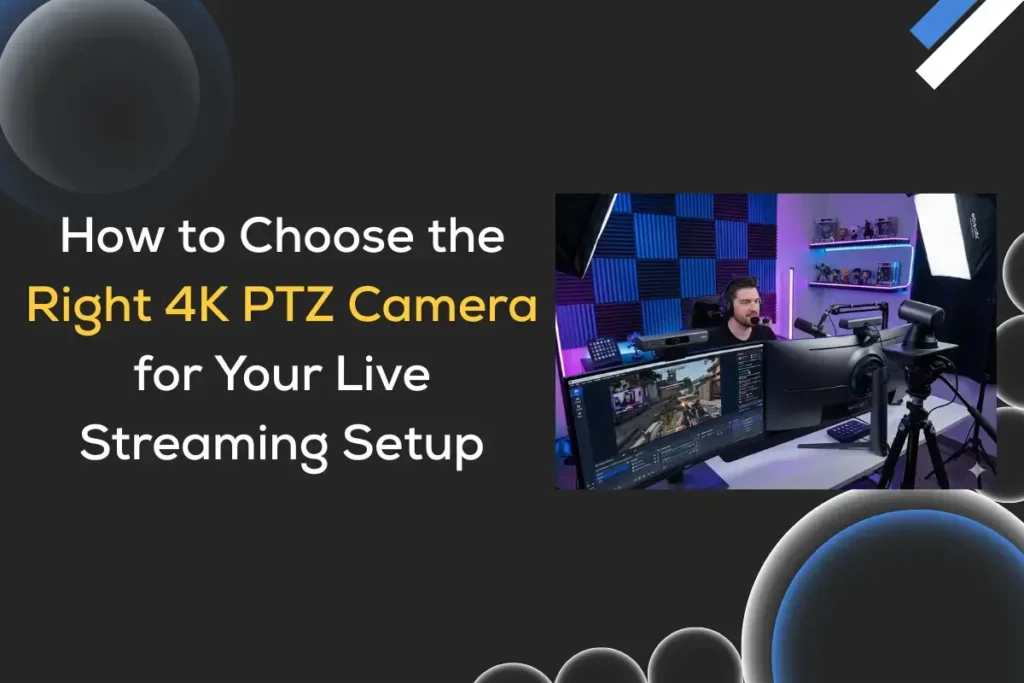
How to Choose the best 4K PTZ Camera for Your Live Streaming Setup
Blog

How to Choose the Best 4K PTZ Camera for Live Streaming Setup

In today’s fast-moving digital world, live streaming has become an essential part of almost every industry, from education and corporate meetings to religious events, weddings, and professional productions. At the heart of every high-quality live stream lies one critical device — the camera. Among all camera types, 4K PTZ cameras (Pan-Tilt-Zoom) are emerging as the most popular and versatile tools for professional live streaming setups. These cameras offer crystal-clear resolution, remote operation, and flexible mounting options, making them ideal for Indian use cases such as classrooms, studios, and event halls. But with so many options available in the market, the big question arises: How do you choose the best 4K PTZ camera for live streaming setups? In this guide, we’ll take you through every important factor you need to consider — from resolution and optical zoom to connectivity, installation, and even budget. We’ll also discuss the key benefits of using a 4K PTZ camera, common applications, and provide some expert tips to help you make an informed decision. What is a 4K PTZ Camera? A PTZ camera is a type of camera that can Pan (move left-right), Tilt (move up-down), and Zoom (in-out), usually through a remote controller, joystick, or software.When combined with 4K resolution (3840×2160 pixels), you get a camera that captures ultra-high-definition video and provides dynamic control over framing, movement, and focus — perfect for professional live streaming setups. In simple words, “A 4K PTZ camera is like having a professional cameraman — without needing one physically behind the camera!” Why Choose a 4K PTZ Camera for Live Streaming? If you’re streaming from a classroom, temple, office, conference, or YouTube studio — a best 4K PTZ camera can drastically enhance the viewer experience. Here’s why they are a top choice: 1. Superior Image Quality 4K resolution delivers 4 times more detail than Full HD. The picture looks sharp, even when zoomed in or projected on large screens. It’s ideal for capturing minute expressions or product details. 2. Remote Control and Automation You can control pan, tilt, and zoom through: This means one person can handle multiple camera angles, saving manpower and cost. 3. Multiple Output Options Most modern PTZ cameras support multiple output interfaces like HDMI, SDI, USB, and IP streaming (RTSP/RTMP/NDI).That makes integration easy with platforms like YouTube Live, Facebook Live, Zoom, Microsoft Teams, or OBS Studio. 4. Smooth and Silent Movement PTZ motors are built for professional use — so they move smoothly and quietly, maintaining a cinematic experience even during transitions. 5. Compact and Easy to Install You can mount them on walls, ceilings, or tripods — making them perfect for classrooms, boardrooms, auditoriums, or studios where space is limited. Key Factors to Consider When Choosing a 4K PTZ Camera for Live Steaming Now that you understand why PTZ cameras are useful, let’s explore how to select the best one for your specific use case. 1. Resolution and Image Sensor When we refer to “4K,” we typically mean Ultra HD (3840 x 2160).However, the sensor size and image processor matter as much as the resolution. Tip: If your setup experiences changing light conditions (such as stage lighting or daylight through windows), consider choosing a model with HDR and WDR support. 2. Optical Zoom vs Digital Zoom Zoom is one of the most critical features of a PTZ camera. For professional use, prefer at least 12x optical zoom.If you’re streaming large auditoriums or religious gatherings, go for 20x or 30x optical zoom. Example:A 30x optical zoom camera can clearly focus on a person sitting at the far end of a hall, without distortion. 3. Connectivity Options Different live streaming setups require different connections.Check if your camera supports: If you plan to stream directly to YouTube, Facebook, or Zoom, choose a camera with IP streaming or NDI support. 4. Low-Light Performance In Indian setups such as temples, wedding halls, or classrooms, lighting is often not ideal.So, you’ll need a camera that performs well in low-light conditions. Look for: This ensures clear, noise-free video even in dim lighting. 5. Auto-Tracking and Preset Function Modern PTZ cameras are equipped with AI-based auto-tracking, enabling the camera to automatically follow a speaker or object. This feature is a blessing for online classrooms, lecturers, and event hosts, where manual control isn’t possible. You can also set preset positions, for example: With just one click, you can switch between views, giving your live stream a dynamic and professional look. 6. Compatibility with Live Streaming Platforms If you use OBS Studio, Wirecast, vMix, or Zoom, make sure your camera is compatible.Most modern PTZ cameras support RTSP/RTMP, allowing them to stream directly to YouTube, Facebook, and Instagram Live. Also, check if it supports: 7. Audio Integration While most PTZ cameras don’t have built-in professional mics, they support 3.5mm or XLR audio input. That means you can easily integrate your existing audio mixer or wireless mic setup. For best results, synchronize your audio and video through software (such as OBS or vMix). 8. Budget and Brand Support Your budget plays a big role, but remember, PTZ cameras are a long-term investment. Here’s a general idea: Always choose a brand that offers: Pro Tip: Choose a local Indian provider (like us!) who not only sells but also offers installation, setup, and training services for your 4K PTZ camera. Introducing the iSlate 4K HD PTZ Camera At iSlate Technologies, we understand that Indian customers need high performance with reliability. Our Zoom-certified 4K HD PTZ Camera is crafted for professional live streaming environments, offering unmatched quality and versatility. Core Features Our camera is already powering schools, colleges, corporate offices, and religious institutions across India, especially in Delhi, Noida, UP, and the NCR regions. Know More Features of iSLate 4K HD PTZ Camera Popular Use Cases of 4K PTZ Cameras in India 4K PTZ cameras are transforming how India captures, streams, and shares live events — bringing clarity, convenience, and professional quality to every setup. From classrooms to mandirs and corporate boardrooms, these smart cameras provide seamless control and

4K PTZ Camera Buying Guide
Blog

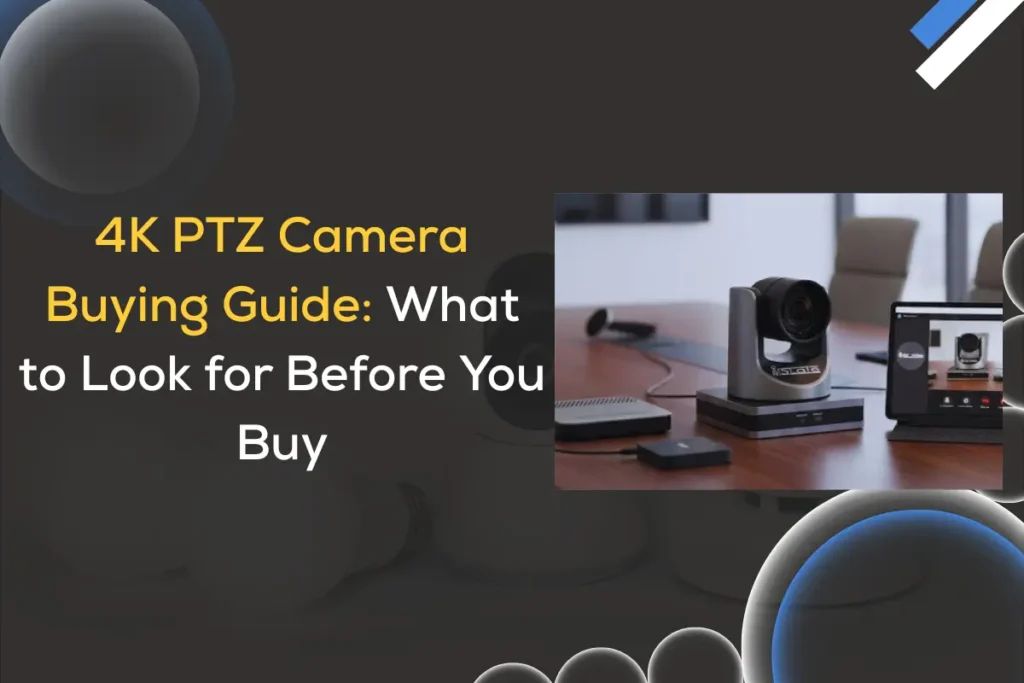
4K PTZ Camera Buying Guide: What to Look for Before You Buy

In the modern era of live streaming, virtual classrooms, surveillance, and professional broadcasting, 4K PTZ (Pan-Tilt-Zoom) cameras have become an essential tool. Whether you’re setting up a smart classroom, conference room, worship space, or live production studio, investing in the right 4K PTZ camera can make a world of difference in your video quality and audience experience. This detailed 4K PTZ Camera Buying Guide will help you understand everything you need to know, from features and specifications to setup tips and maintenance. If you’re considering purchasing one, this guide will help you make an informed decision. What Is a 4K PTZ Camera? A PTZ camera stands for Pan-Tilt-Zoom camera — meaning it can pan horizontally, tilt vertically, and zoom optically or digitally to capture the perfect frame. When you add 4K resolution to the mix, you get an incredibly sharp, detailed, and professional-quality image suitable for broadcast, streaming, or surveillance. Where 4K PTZ Cameras Are Used: Why Choose a 4K PTZ Camera? 1. Superior Video Quality A 4K PTZ camera captures video at four times the resolution of Full HD (1080p). This means finer details, sharper images, and excellent clarity even when zooming in. For professional streaming, corporate meetings, or broadcasting, 4K quality instantly enhances credibility and viewer experience. 2. Remote Control Convenience PTZ cameras can be controlled remotely via IP, IR, or serial control (RS-232/RS-485). This allows operators to pan, tilt, or zoom the camera from a distance ideal for live-streaming events or classrooms where the operator cannot move around. 3. Compact & Versatile Design Unlike bulky studio cameras, PTZ cameras are compact and easy to mount on ceilings, walls, or tripods. Their discreet design makes them perfect for environments where aesthetics matter, such as lecture halls or conference rooms. 4. Multiple Connectivity Options Most 4K PTZ cameras feature HDMI, SDI, USB, and IP streaming outputs, making them versatile for a range of workflows, whether you’re using them for OBS, vMix, Zoom, Microsoft Teams, or YouTube Live. 5. Automated Features Modern PTZ cameras offer auto-tracking, auto-framing, and preset recall — meaning the camera can automatically follow a speaker or switch between pre-defined angles. These features make operations smooth and professional, even with minimal manpower. To understand all the advanced capabilities and other essential features that make 4K PTZ cameras so versatile, check out our 4K PTZ camera features guide Key Factors to Consider Before Buying a 4K PTZ Camera When choosing a 4K PTZ camera, it’s not just about the resolution; other features significantly affect performance and usability. Let’s dive deep into the most important factors to look for. 1. Resolution and Frame Rate While all 4K PTZ cameras shoot in 3840×2160 resolution, frame rate matters equally. Some cameras also offer Full HD and 720p output options, allowing flexibility based on your bandwidth or streaming platform. Expert Insight: Don’t just chase resolution; ensure the sensor and optics deliver genuine clarity, not just upscaled 4K. 2. Optical Zoom vs Digital Zoom Optical zoom utilizes the camera lens to magnify the image without compromising quality, whereas digital zoom enlarges the pixels, which can result in blur or noise. Some premium cameras combine both optical and digital zoom for an extended range. 3. Sensor Size and Image Quality The sensor size plays a huge role in image quality, especially in low light.Larger sensors capture more light, resulting in better performance in dim environments. Common sensor types: If you’re shooting in studios or events with variable lighting, go for a larger sensor. 4. Low-Light Performance If you plan to use the camera in classrooms, auditoriums, or worship halls, low-light sensitivity is crucial. Look for features like: These ensure crisp, noise-free video even in challenging lighting conditions. 5. Connectivity & Streaming Options Today’s PTZ cameras support multiple outputs. Choose one that fits your setup: Connection Type Purpose HDMI Direct output to TV, switcher, or recorder SDI Long-distance transmission (up to 100m) USB 3.0 Plug-and-play for Zoom, Skype, or Teams IP (RTSP/RTMP/SRT/NDI) For live streaming and remote control PoE (Power over Ethernet) Single cable for power, video, and control NDI PTZ cameras are popular for live productions because they integrate easily with software such as vMix, OBS, Wirecast, or Tricaster. 6. Control Options Modern PTZ cameras offer various control methods: Auto-tracking PTZ cameras can follow a moving subject automatically — a must-have for lecture recording or worship streaming. 7. Audio Input and Output If you’re live-streaming or recording, having audio input directly on the camera simplifies setup. Look for: 8. Mounting Flexibility Depending on your use case, your PTZ camera should offer: Some cameras even support inverted mounting, allowing you to flip the image orientation via software. 9. Software Compatibility Make sure your camera works seamlessly with: Look for UVC (USB Video Class) compatibility if you need plug-and-play functionality. 10. Price and Warranty The price of 4K PTZ cameras varies widely, from ₹50,000 for entry-level models to ₹3,00,000+ for broadcast-grade options. Before buying, check for: Read This Also: Best 4K PTZ Camera for Live Streaming Top Features You Should Not Miss Common Mistakes to Avoid When Buying a 4K PTZ Camera When buying a 4K PTZ camera, many people get influenced by fancy features or high specifications. But avoiding a few common mistakes can help you choose a camera that actually fits your setup and gives reliable performance for years. Installation & Setup Tips Maintenance Tips for Longevity To keep your 4K PTZ camera lasting longer and performing flawlessly, regular maintenance is key. Here are a few easy yet effective tips to keep it in excellent condition: Top 4K PTZ Camera Brands (2025) When investing in a 4K PTZ camera, choosing a trusted brand ensures superior image quality, reliable performance, and long-term support. Here are the top 4K PTZ camera brands in 2025 known for innovation, durability, and professional-grade features. Future Trends in 4K PTZ Cameras The world of PTZ technology is evolving rapidly, blending AI, connectivity, and ultra-HD imaging to redefine how we capture and stream content. These future trends promise smarter automation, effortless control,

Scroll to Top