Digital Board for Teaching: Complete Guide to Smart, Future-Ready Classrooms
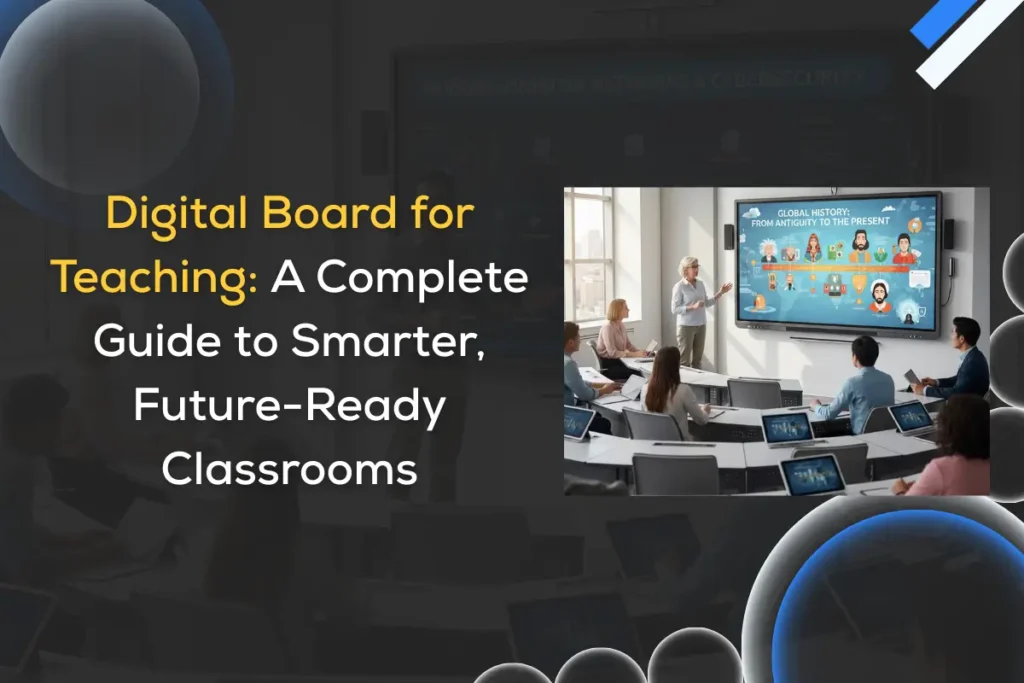
A digital board for teaching is transforming modern classrooms in India by enabling interactive, engaging, and technology-driven learning experiences. Also known as a digital touch board, interactive flat panel, or digital wall board for teaching, this technology replaces traditional whiteboards and projectors with an all-in-one interactive display that enhances engagement, understanding, and collaboration. From primary schools to universities and coaching centers, digital boards are redefining how lessons are delivered, understood, and retained. As education increasingly shifts toward hybrid, outcome-driven, and technology-enabled models, digital boards are no longer optional upgrades—they are foundational tools. This guide explains everything educators and decision-makers need to know, including use cases, learning impact, implementation best practices, future trends, and how to choose the best digital board for teaching in India. What Is a Digital Board for Teaching? A digital board for teaching is a large interactive display that allows teachers and students to write, draw, annotate, present multimedia content, and collaborate in real time using touch or a stylus. Unlike projector-based smart boards, modern digital boards are: Depending on classroom size, institutions may choose a big digital board for teaching, typically 65, 75, or 86 inches. Evolution of Digital Boards in Education The journey of classroom teaching tools reflects the evolution of learning itself. Education began with chalkboards, progressed to whiteboards, then overhead projectors, and eventually smart boards. Each step introduced incremental improvements, but none fully addressed engagement, flexibility, and digital integration. Digital boards represent the next—and most transformative—stage. Unlike projector-based systems, modern digital boards use high-resolution LED displays with built-in computing power. They eliminate shadows, alignment issues, and dependency on external devices. More importantly, a modern interactive digital board for teaching supports touch interaction, cloud connectivity, and real-time collaboration. In India, adoption accelerated after the push for Digital India, online education during the pandemic, and the growing demand for smart classrooms. Today, digital boards are central to how institutions modernize infrastructure while improving teaching quality. How Digital Boards Improve Learning Outcomes Digital boards directly improve learning outcomes by making lessons more engaging, interactive, and inclusive. Students learn better when they can see, touch, interact, and collaborate—and digital boards support all these modes simultaneously. Visuals, touch interaction, audio, and real-time collaboration significantly enhance comprehension and retention. Key benefits include: Studies show that classrooms using interactive digital boards experience measurable improvements in engagement and academic performance. Let’s Also Explore: Advantages of using an interactive flat panel or digital board for Education Classroom Use Cases of Digital Boards for Teaching Digital Boards in Primary & Secondary Schools In school classrooms, a digital wall board for teaching transforms passive learning into active participation. Teachers can use interactive quizzes, visual storytelling, and gamified lessons to keep students engaged. Younger learners especially benefit from touch-based interaction and visual reinforcement. Digital Boards in Colleges & Universities Higher education institutions use interactive digital boards for teaching to visualize complex concepts, run collaborative discussions, and integrate live digital resources. Engineering, medical, and management courses benefit from simulations, diagrams, and real-time problem solving. Digital Boards in Coaching & Test-Prep Centers Coaching institutes rely on digital touch boards for teaching to annotate concepts live, record sessions, and share content with students. This supports both in-class and remote learners while ensuring consistency across batches. Digital Boards for Hybrid & Remote Teaching Digital boards are critical enablers of hybrid education. Teachers can teach students in physical classrooms and remote locations simultaneously, share screens, record lessons, and store content in the cloud for later access. Choosing the Right Size: Why Big Digital Boards Matter Classroom size directly impacts visibility and engagement. A big digital board for teaching ensures every student can see content clearly, even from the back of the room. General size recommendations: Choosing the right size improves usability and long-term satisfaction. Practical Setup & Installation Best Practices Successful digital board implementation depends as much on installation as on technology. Boards should be mounted at eye level, ensuring visibility for all students. Classroom lighting must be optimized to avoid glare, and seating distance should match screen size. Cable management, power safety, and stable wall mounts or mobile stands are essential for durability. Schools must also consider ventilation, classroom acoustics, and accessibility for differently-abled users. Institutions that follow structured installation guidelines experience better usability, longer device lifespan, and higher teacher adoption rates. Digital Boards and Modern Teaching Pedagogy Digital boards support modern pedagogical models that go beyond lecture-based teaching. These models are: Digital boards support continuous assessment, immediate feedback, and adaptive teaching strategies that improve overall outcomes. Teachers can adapt lessons dynamically, making learning more personalized and effective. Integrating Digital Boards With LMS & Classroom Software True value emerges when digital boards integrate seamlessly with learning management systems (LMS). Integration with platforms like Google Classroom, Microsoft Teams, or Moodle allows teachers to access lesson plans, upload content, track progress, and collaborate effortlessly. Cloud storage connectivity ensures lessons are saved automatically, shared securely, and accessed anytime. This integration reduces administrative workload and improves consistency across classrooms and campuses. Accessibility & Inclusive Learning With Digital Boards A digital board for teaching supports inclusive education by offering: This ensures learning is accessible for all students, aligning with inclusive education goals and modern compliance standards. Security, Privacy & Data Protection in Smart Classrooms As classrooms become connected, security and privacy become more critical. Digital boards today are not just displays—they are smart, internet-enabled devices used daily by teachers and students. They must support secure logins, role-based access, camera and microphone permissions, and controlled connectivity. A well-designed digital board ensures that only authorized users can access content, settings, and stored data. Regular firmware and security updates also play a crucial role in protecting classrooms from vulnerabilities over time. For schools and institutions, selecting the right digital board that follows data protection standards and offers long-term software support helps create a safe and trustworthy learning environment—one where technology supports education without compromising privacy. Total Cost of Ownership (TCO) of a Digital Board While the initial cost may seem high, the total cost of ownership