
islatetechnologies

ISO 9001: 2015,
ISO 14001: 2015
Certified Company

Author name: islatetechnologies

iSLate Technologies Private Limited (iSLate) is a organization based in Noida, India that provide innovative AV, EdTech & BizTech solutions, focused on modernizing education and workplace communication. With expertise in interactive digital boards, displays, 4K PTZ cameras, digital podiums, studio setups, and custom AV systems, iSLate manufactures & delivers intuitive, high-quality products that enhance engagement, learning outcomes, and business collaboration. Driven by a commitment to reliability and accessibility, iSLate supports institutions and businesses worldwide with cutting-edge technology and responsive service. In addition to providing innovative AV solutions, iSLate shares expert insights and guides on the latest EdTech trends, digital classroom tools, and AV best practices, helping educators & business make informed technology decisions.

Complete YouTube Studio Setup guide
Blog

Complete YouTube Studio Setup Guide (Camera, Lights, Sound)

Launching a successful YouTube channel in 2025 requires more than creativity; it necessitates a professional YouTube studio setup that helps your videos look and sound amazing. Whether you’re a beginner or planning to upgrade your home studio, having the right camera, lighting, and sound setup can transform your content quality and viewer engagement. This comprehensive guide walks you through everything you need to build a complete YouTube studio setup, from choosing the best camera and lighting gear to optimizing your audio, background, and workflow. We’ll also share expert tips and explain how our studio setup service can help you create a professional-grade space that fits your goals and budget. Why Your YouTube Studio Setup Matters In today’s digital landscape, viewers expect high-quality video and crisp audio. Even if your ideas are brilliant, poor lighting or muffled sound can cause people to click away within seconds. A dedicated YouTube studio offers several benefits: Investing in the right studio setup isn’t an expense; it’s an investment in your channel’s growth and credibility. Choose the Right Camera for YouTube Studio Your camera is the heart of your YouTube studio setup. The good news? You don’t need the most expensive camera; you need the right one for your niche and workflow. Types of Cameras for YouTube Creators Key Camera Settings for YouTube Videos Expert Advice: Invest in a tripod or gimbal stabilizer for steady footage. The shaky video appears unprofessional, despite having great lighting and sound. How to Set Up the Perfect Lighting for YouTube Videos Lighting can make or break your video quality. Even the best camera won’t perform well in poor light. The right lighting setup ensures your face is well-lit, colors look natural, and shadows are flattering. Basic Lighting Setup: The Three-Point Lighting Technique Recommended Lighting Equipment Lighting Tips Also, Explore this Video Podcast Studio Setup Guide Get Professional Sound Quality for Videos Viewers will forgive slightly imperfect video, but not bad audio. Invest in high-quality microphones and soundproofing to maintain crisp and clear audio. Types of Microphones for YouTube Audio Setup Tips Optimize Background and Studio Design Your background sets the tone for your brand. It should reflect your channel’s personality while staying clean and distraction-free. Background Ideas Studio Design Tips Editing and Post-Production Setup A great YouTube studio isn’t complete without a solid editing workflow, as this is where raw footage transforms into polished, engaging content. A well-organized post-production setup ensures that your videos are visually appealing, consistently high in quality, and ready to captivate your audience. Essential Editing Tools Editing Equipment Editing Workflow Tips Budget-Friendly YouTube Studio Setup You don’t need to spend a fortune. Here’s how you can build your studio for YouTube based on your budget: Budget Camera Lighting Audio Accessories ₹20,000–₹40,000 (Beginner) Smartphone / Webcam Ring Light Lavalier Mic Basic Tripod ₹50,000–₹80,000 (Intermediate) Mirrorless Camera LED Panels Shotgun Mic Softbox Kit ₹1 Lakh+ (Professional) DSLR / Mirrorless (4K) 3-Point Light Setup Studio Mic + Interface Soundproof Panels, RGB Lights Read This: For your podcast studio setup guide What Are the Common Mistakes to Avoid in Your YouTube Studio Setup? Even with the best equipment, small mistakes can make your videos look unprofessional. Being aware of these pitfalls ensures your content stays professional and polished. Key Mistakes to Avoid: Expand Your YouTube Studio Setup for Growth As your YouTube channel or content platform grows, upgrading your studio setup for YouTube can take your videos to the next level and allow you to diversify your content. Consider these key enhancements: These upgrades can diversify your content from tutorials and vlogs to live podcasts and webinars, helping you expand your reach and engage with a broader audience. Our Professional YouTube Studio Setup Service Setting up a YouTube studio can be time-consuming and technical, especially if you’re unsure about lighting positions, acoustic balance, or camera compatibility. That’s where we come in. At iSLate Technologies, our YouTube Studio Setup Service provides end-to-end assistance, including: We’ve helped creators, educators, and businesses across India build professional, ready-to-shoot studios that elevate their brand presence and production quality. Want a studio that looks and sounds world-class?Contact us today to get a custom YouTube studio setup consultation. Conclusion Building a YouTube studio setup isn’t just about gear—it’s about creating a space that makes your videos look professional and sound clear. The right camera, lighting, and audio setup can transform your content and help you stand out from the crowd. If setting up your studio feels complicated, our YouTube studio setup service can help. We design and install complete setups tailored to your space, budget, and content goals—so you can focus on creating, not configuring. Contact us today to design and build your ideal YouTube studio and start producing high-quality videos with confidence. FAQs
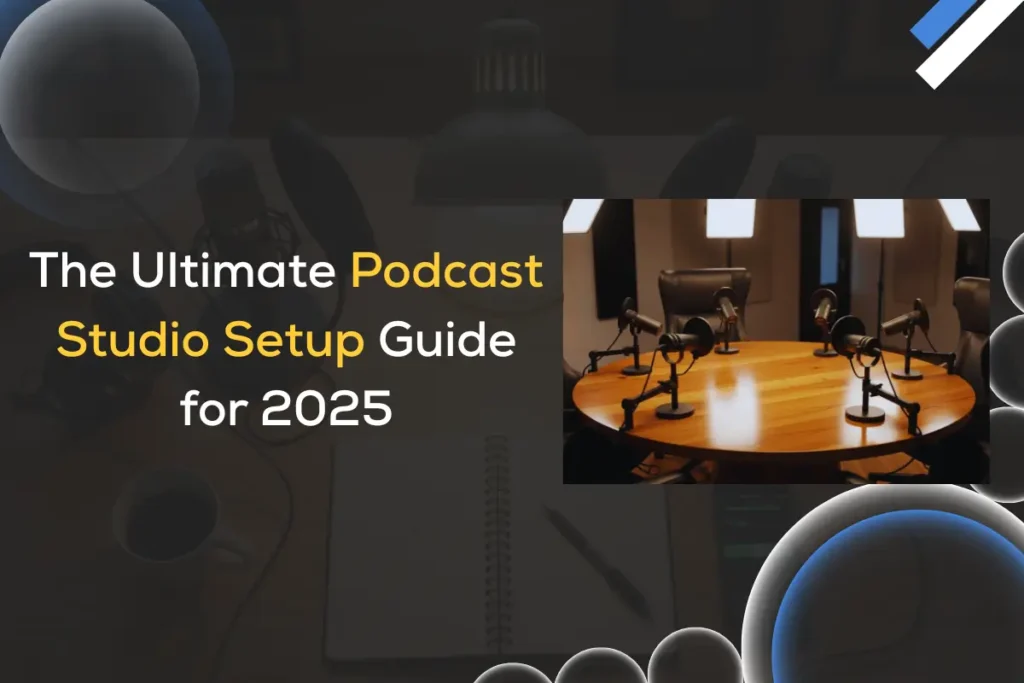
The complete podcast studio setup guide for 2025-2026
Blog

The Ultimate Podcast Studio Setup Guide for 2025 Best Equipment, Software & Trends

Podcasting has evolved from a niche hobby into one of the fastest-growing content industries worldwide. By 2025, the podcasting landscape will be more competitive, creative, and technology-driven than ever. Whether you’re an aspiring podcaster planning to record your first episode or a seasoned creator looking to upgrade your setup, building the right podcast studio setup is crucial to delivering professional-quality audio that stands out. This ultimate podcast studio setup guide will walk you through everything you need to know, from essential hardware and software to studio design, acoustic treatment, workflow automation, and even the latest trends shaping podcasting in 2025. Why Your Podcast Studio Setup Matters in 2025 With millions of podcasts available on Spotify, Apple Podcasts, and YouTube, high-quality audio has become a baseline expectation rather than a luxury. Listeners today have access to professional-grade productions from brands, influencers, and media houses. Poor sound quality, echo, or background noise can cause your audience to drop off within seconds. A well-designed podcast studio setup not only improves sound clarity but also enhances your creativity, workflow, and consistency. It allows you to focus on storytelling, interviews, and content creation, not technical issues. Planning Your Podcast Studio: Home vs. Professional Space Before you invest in equipment, consider what type of studio will best fit your needs: 1. Home Podcast Studio Most podcasters in 2025 start from home. Thanks to compact gear and AI-assisted post-production tools, you can achieve professional results from a spare room or even a quiet corner. Advantages: Key Tips: 2. Professional Podcast Studio If you run a production company or monetize your show at scale, a dedicated professional podcast studio offers maximum control and scalability. Advantages: Key Consideration:Factor in the cost of rent, design, and maintenance. Many creators today opt for co-working podcast studios that can be rented on an hourly basis, offering an affordable middle ground. What is the Essential Equipment for a Podcast Studio Setup The right equipment defines the quality and workflow of your show. Below are the essential pieces of equipment for 2025 and beyond, including both budget-friendly and professional options. 1. Microphones (Your Primary Investment) Your microphone is the heart of your setup. Choose between dynamic and condenser microphones depending on your environment. 2. Audio Interface or Mixer An audio interface converts your microphone’s analog signal into digital audio for your computer.For multi-guest shows, a mixer offers greater control. Expert Tip: Look for models with USB-C connectivity and onboard DSP for noise reduction and EQ presets. 3. Headphones Monitoring audio in real-time is critical for catching distortions and background noise. Top Picks: Audio-Technica ATH-M50x, Beyerdynamic DT 770 Pro, Sony MDR-7506 4. Pop Filter and Boom Arm A pop filter minimizes plosive sounds (“p” and “b”) while a boom arm positions your mic comfortably. 5. Computers and Recording Devices Most podcasters record directly into laptops or desktops. However, standalone recorders like the Zoom PodTrak P4 or RodeCaster Duo are great backups. Specs to aim for: 6. Cameras (for Video Podcasts) In 2025, video podcasts dominate YouTube and social media. If you plan to record video: Add LED panel lighting, a ring light, and a softbox for balanced lighting. Software for Recording, Editing, and Publishing Choosing the right podcast software streamlines your workflow, guiding you smoothly from recording to sharing your episodes with the world. 1. Recording Software 2. Remote Recording Platforms (2025) Remote interviews are the norm now. Platforms like Riverside.fm, SquadCast, and Zencastr 2.0 record high-resolution audio and video locally, even over unstable connections. 3. AI Tools for Editing The most significant shift in 2025 is the adoption of AI-assisted editing.Tools like Descript, Adobe Podcast Enhance, and Auphonic automatically remove background noise, balance levels, and even edit speech using text-based transcripts. Soundproofing and Acoustic Treatment Even the most expensive microphone can’t save you from poor room acoustics. To get crystal-clear sound, invest in soundproofing and acoustic treatment from the start. 1. Soundproofing (Blocking Noise) 2. Acoustic Treatment (Improving Sound Quality) Affordable tip: Start with a “vocal booth corner” using a portable sound isolation shield behind your mic. Internet and Streaming Setup If you stream live episodes or conduct remote interviews, reliable internet is essential. Streaming Platforms (2025): OBS Studio, StreamYard, Restream, and Ecamm Live dominate the podcast video-streaming space. Workflow and Automation Professional podcasters automate repetitive tasks to save time.Here’s how you can streamline your process in 2025: Lighting and Aesthetics: The Visual Edge In the era of video podcasts and short-form clips, how your studio looks matters as much as how it sounds. Design Tips: Recommended gear: Elgato Key Light, Neewer LED Panels, Nanoleaf Shapes for background effects. Budget Breakdown: Building a Studio at Any Level Budget Tier Recommended Setup Estimated Cost (INR) Starter USB Mic (Rode NT-USB Mini), Basic Headphones, Audacity, Foam Panels ₹25,000 Intermediate (Semi-Pro) XLR Mic (Shure MV7+), Audio Interface (Focusrite 2i2), Boom Arm, Auphonic AI ₹60,000 Professional Studio RodeCaster Pro II, 2x XLR Mics, Acoustic Panels, LED Lights, Video Camera ₹1.5+ Always prioritize the microphone and acoustics first; you can upgrade lighting, cameras, and décor later. Podcast Studio Setup Checklist (2025 Edition) Use this comprehensive checklist to ensure your podcast studio has everything you need for professional-quality audio and smooth recording sessions. It’s designed for both beginners and experienced podcasters planning to upgrade their setup in 2025. Keep this checklist handy as you build or upgrade your studio. What are the Future Trends in Podcast Studios (2025 and Beyond) The future of podcast studios in 2025 and beyond is being shaped by AI-driven production, immersive audio experiences, integrated video workflows, sustainable design, and cloud-native collaboration tools. These trends are transforming how podcasters create, edit, and distribute content, making production faster, more engaging, and globally accessible. As technology evolves, creators can focus more on storytelling while leveraging smarter tools to enhance quality and reach. Here are in-depth emerging trends redefining how creators record and distribute content: a. AI-Driven Production Voice cloning for intros, AI hosts, automated editing, and smart noise reduction are becoming mainstream. Expect intelligent tools that detect

Complete best Studio Setup Guide 2025 & 2026
Blog

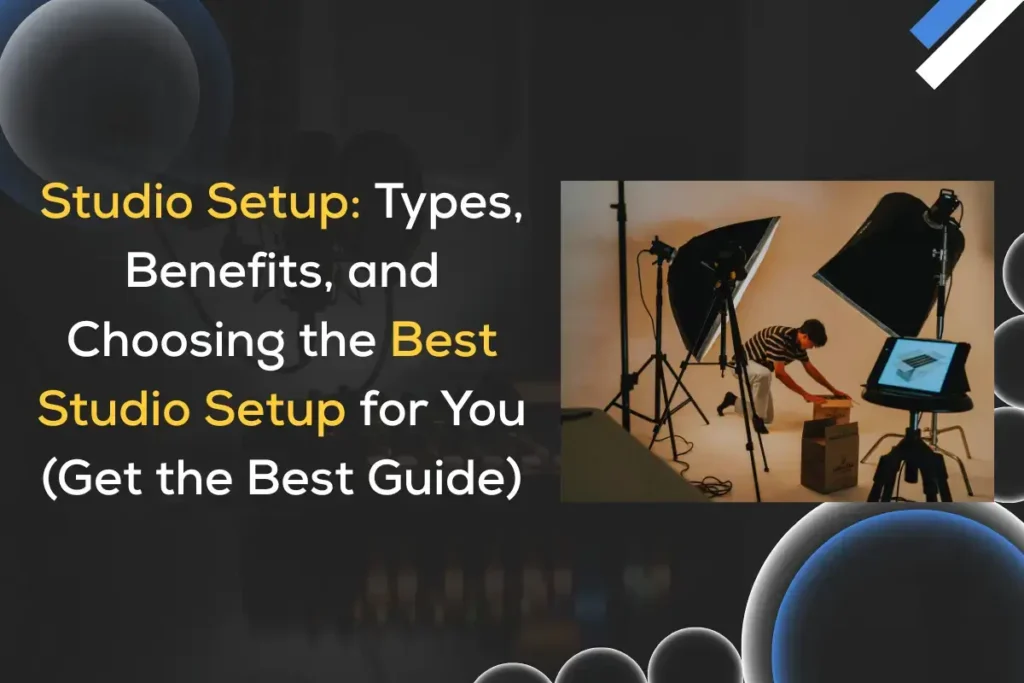
Studio Setup Guide: Types, Benefits, and Choosing the Best Studio Setup for You (2026 Guide)

Whether you’re a content creator, musician, photographer, or podcaster, having the studio setup can transform the quality of your work. A well-planned studio provides the perfect environment for creativity, consistency, and professionalism. In 2026, with affordable equipment and smarter technology, setting up a music studio, video podcast studio, or video recording studio is easier than ever, even from home. However, with numerous options available, deciding which studio setup is right for your needs can be a daunting task. This studio setup guide dives deep into what a studio setup is, explores the types of studios, discusses their benefits, and helps you determine which setup is best suited for you. We’ll also cover important topics like studio setup prices, lighting setup, and recording equipment to help you plan effectively. What Is a Studio Setup? A studio setup is a dedicated space designed to record, create, or produce content — whether that’s music, videos, photos, or podcasts. It combines acoustic design, audio/video equipment, and lighting systems to achieve professional-quality output. A studio setup can range from a home recording studio setup to a professional video recording studio setup used by production houses and content creators. Different Types of Studio Setups There isn’t a one-size-fits-all studio. The right studio setup depends on your goals and the kind of content you produce. Here are the most common types of studio setups: 1. Music Studio Setup A music studio setup is designed for recording, mixing, and mastering songs. Singers, producers, and instrumentalists use it Key Equipment: Subtypes: Approximate Cost: 2. Podcast Studio Setup A podcast studio setup focuses on clear voice recording, comfort, and soundproofing. Whether you’re producing solo episodes or interviews, a professional environment improves listener experience. Key Equipment: Costs: Tips:If you record podcasts for YouTube, consider adding video recording studio setup elements — cameras, lighting, and background design — to boost reach. 3. YouTube Studio Setup / Video Recording Studio Setup A YouTube studio setup or professional video recording studio setup combines audio, lighting, and visuals to create engaging videos. YouTubers, educators, and marketers use it for tutorials, vlogs, and online courses. Key Equipment: Lighting Tip: The best lighting setup for YouTube videos or video recording includes a three-point light system, key light, fill light, and backlight — for balanced visuals. Video Recording Studio Setup Cost Range in India: 4. Photo Studio Setup A photo studio setup is essential for photographers who want controlled lighting, backgrounds, and professional results for portraits, products, or fashion shoots. Key Equipment: Best Lighting Setup for Photography: Photo Studio Setup Price in India: 5. Live Recording Studio Setup A live recording studio setup is for real-time performances — like band recordings, livestreams, or online events. It requires seamless audio-video synchronization and a stable internet. Essentials: Applications: Benefits of a Good Studio Setup A professional or well-planned studio setup offers significant advantages across industries and content types: 1. Superior Audio and Visual Quality A good studio setup minimizes background noise, optimizes acoustics, and ensures crystal-clear visuals, key for music recording studio setups, podcast studios, and video content creators. 2. Creative Control Owning your studio means full control over sound, lighting, and timing. You can experiment with recording styles, camera angles, and audio layering without needing to rent external space. 3. Cost Efficiency in the Long Run Although the initial studio setup price may be high, long-term savings are substantial. Regular creators spend far less over time than they would renting studios repeatedly. 4. Consistency and Branding A dedicated YouTube or podcast studio setup enables you to maintain a consistent aesthetic and sound quality, which is key to building a brand identity and audience trust. 5. Comfort and Productivity A personalized environment improves focus, workflow, and comfort. You can design your studio to match your creative rhythm — whether that’s a cozy home recording studio setup or a high-end professional video recording studio setup. Best Lighting Setup for Studios Lighting is one of the most crucial and most overlooked elements in a studio setup. It directly affects video clarity, mood, and visual storytelling. Let’s look at the best lighting setups for different use cases: 1. Best Lighting Setup for Video Use three-point lighting: 2. Best Lighting Setup for YouTube Videos Add a ring light or softbox to highlight facial expressions and maintain even light across the frame. 3. Best Lighting Setup for Podcasts Use soft, diffused lighting that flatters skin tones. Add background accent lights to create a warm and inviting atmosphere. 4. Best Lighting Setup for Photography Balance between natural and artificial light. Use reflectors to control shadows and ensure even exposure. 5. Best Lighting Setup for Video Conferencing LED panels or ring lights placed slightly above eye level create a professional look for meetings and webinars. Recording Studio Setup Equipment Checklist Regardless of whether you’re creating music, podcasts, or videos, here’s a universal list of recording studio setup equipment to consider: How to Choose the Ideal Studio Setup for You Here’s how to decide which studio setup is ideal based on your goals, budget, and workflow: 1. Identify Your Purpose Ask yourself: 2. Define Your Budget Here’s a quick snapshot of typical studio setup prices in India: Studio Type Approximate Cost (INR) Home Recording Studio ₹80,000 – ₹2,00,000 Podcast Studio ₹40,000 – ₹1,50,000 YouTube/Video Recording Studio ₹1,00,000 – ₹5,00,000 Photo Studio ₹50,000 – ₹2,00,000 Professional Recording Studio ₹5,00,000 – ₹20,00,000+ 3. Start Small, Then Scale Begin with essential equipment and gradually upgrade. Many successful creators began with a basic home recording studio setup and expanded as their audience grew. 4. Prioritize Acoustics and Lighting Even expensive equipment can underperform without proper soundproofing and lighting. Invest early in acoustic treatment and soft, diffused lights for quality improvement. 5. Consider Portability and Space If you move frequently or have limited space, opt for a compact setup, foldable tripods, lightweight microphones, and mobile-friendly gear. Professional Tips for the High-quality Studio Setups Why Choose iSLate Technologies for a Reliable Studio Setup When you’re investing in a studio, you’re not just buying

Explore the top digital board brands in India
Blog

Top 5 Digital Board Brands in India – Why iSLate Leads the Market

The education and corporate sectors in India are undergoing a significant amount of digital transformation and acceleration through the year 2026. You will notice that digital boards are replacing traditional blackboards and whiteboards, also referred to as Interactive Flat Panels (IFP), in schools, colleges, and universities. Digital smartboards offer the best combination of interactivity, multimedia integration, and collaboration, addressing the concept of shifting your lessons and presentations to more interactive and collaborative ways of learning. In the classroom, we believe interactive flat panels(IFPs) can enhance lessons by creating interactive content, accessing multimedia support, and, importantly, engaging with new and upcoming technology tools such as learning management systems. In boardroom settings, IFPs facilitate teamwork, brainstorming, and professional presentations. Now that there are so many brands emerging in the market, it can be daunting to choose a reliable digital board brand. This article will explore the top 5 digital board brands in India, outlining their features, benefits, and why iSLate Technologies (iSLate) is the no.1 brand in the digital board marketplace. Summary This article compares the leading brands of digital boards in India, features, prices, and capabilities for the classroom and workplace. We will show why the iSLate is the perfect market leader, with advanced AI tools, multi-touch experience, and continuous support. If you are looking to upgrade your school, college, or corporate office, this article will help you understand your options and the key differences why iSLate has more market share than the other brands. Leading Top 5 Digital Board Brands in India 1. iSLate – The Market Leader Overview: iSLate Technologies (iSLate) is an Indian-based brand that has quickly established itself as an esteemed brand in digital display solutions. Known for its user-friendly interface, innovative digital boards, and superior quality, iSLate is helping schools, colleges, and corporate institutions across India establish a framework to provide a more agile, engaging, and technology-enabled learning space. Key Features: Why iSLate Leads: Transform your hybrid workspaces through this guide: Explore How Interactive flat panels are revolutionizing hybrid workspaces 2. Samsung Flip Pro Overview: The Samsung Flip Pro is a premium 4K UHD interactive display aimed primarily at the contemporary classroom and meeting room. With ultra-low latency of 26 ms, 20-point multi-device touch, and device connectivity, the Flip Pro enables a natural writing and collaborative experience. Key Features: Considerations: 3. BenQ RP Series Overview: BenQ’s RP Series displays (also known as smartboards) offer educational features and benefits with comfort and health-consciousness. Key Features: Considerations: ViewSonic IFP Series Overview: The ViewSonic has a range of interactive flat panels specifically designed for educational and corporate purposes. Key Features: Considerations: 5. LG Interactive Digital Boards Overview: LG interactive digital boards are durable and use advanced technology. Key Features: Considerations: Also Read This: Top 10 Advantages of Interactive Flat Panel Why iSLate Technologies (iSLate) Stands Out as the Market Leader of Digital Boards in India The iSLate interactive flat panel or digital board represents a complete change in how classrooms and offices work. Through modern technology and design, iSLate offers AI-based tools, quality connections, and natural touch control to create a true interactive learning or presentation experience. Whether the digital board or flat panel is used as a teaching tool, a brainstorming tool, or a collaborative working tool, the iSLate provides every session with a level of efficiency, engagement, and clarity. It is one of the reliable digital board brands offering warranty and support in India. What really makes iSLate different from pre-existing technologies is its combination of innovation and accessibility. It provides performance to the advanced digital learning tools at an affordable price for any size institution. The brand continues to offer a multitude of customisation options, centred around user needs, and has after-sales support across India. This has led iSLate to be a trusted partner for educators, corporates, or training centres looking to implement digital transformation. How to Choose the Right Digital Board Finding the right digital board (often referred to as an interactive flat panel, or IFP) depends on your particular environment and use, as well as budget. There are so many choices that you should look beyond just the name of the brand you are considering and think about the features and functions that will actually facilitate better teaching, training, or collaboration. Here are some important points to consider before your purchase: Classroom or office size – bigger rooms likely require a brighter panel Budget vs Features – compare and contrast advanced functionalities against the price Tech integrations – utilizing any Android, multi-touch, AI tools, or Windows, etc. Support & Training – make sure that there is after-sales support and training available Conclusion Among the leading digital board brands in India, iSLate is a market leader for its technology innovations, affordability, and quality after-sales service. Other companies have interactive flat panels or digital boards, but iSLate provides features that other brands do not have, such as enhanced technology and an interface that demonstrates a superior user experience, which is aligned with long-term value. Additionally, whether you are an educator looking to enrich classroom engagement or a business trying to foster a collaborative working environment, iSLate delivers a whole package of a user-friendly, cost-effective tool and an improved space for learning and interaction. FAQs

How to choose the best Interactive Flat Panel or digital board for your modern classroom and workspace
Blog

How to Choose the Right Interactive Flat Panel (IFP) for Your Classroom and Workspace

Interactive Flat Panels (IFPs) — often called digital boards, smartboards, or interactive displays — have become central to modern teaching and collaboration. They replace clunky projectors and passive whiteboards with bright, multitouch screens that combine display, computer, audio, annotation, and connectivity in one unit. Choosing the right IFP matters: the wrong choice wastes budget and frustrates teachers and teams; the right one lifts engagement, simplifies workflows, and lasts for years. This guide helps you select the right Interactive Flat Panel for classrooms and workspaces in a practical, actionable way. It includes key features, technical specifications, deployment methods, access and security, procurement, and ROI (return on investment), maintenance, as well as a checklist and sample RFP language for your reuse. Why an IFP — benefits at a glance Interactive Flat Panels introduce a variety of improvements that reshape everyday teaching and teamwork. Many of these strengths have been discussed in detail in our earlier insights, and the points below highlight the most important ones at a glance. Improved engagement: with touch interaction, multimedia, and collaborative apps, your lessons and meetings will be much more participatory. Cleaner, brighter visuals: Modern LED/LCD panels offer high brightness and wide viewing angles — better than typical projectors in daylight. Lower maintenance: No projector bulbs to change and fewer cables; fewer service calls if chosen correctly. All-in-one solution: Display, computer (sometimes), speakers, annotation tools, and peripherals can be integrated. Versatile use-cases: Teacher-led lessons, student collaboration, remote teaching, video conferencing, corporate brainstorming, and digital signage. Understanding the Role of Interactive Flat Panels in Modern Learning and Work Environments Interactive Flat Panels (IFPs), or Digital Whiteboards, have progressed from basic touch displays to being the focus of digital collaboration. In classrooms, IFPs make lessons interactive and multimedia, capturing students’ attention. In the office, they enable seamless brainstorming, hybrid meetings, and remote collaboration. However, there are hundreds of models, features, and price points to consider. So choosing the right one for your school or business is not just about the cost – it’s about matching your technology to your real-world needs. The following steps will help you make an informed, future-ready choice: Step 1 – Define the core use-cases Please take time to identify the primary uses of the IFP before comparing the specifications or brands of digital boards. Possible categories include: Primary teaching display for K–12 classrooms: Active writing or annotation, document camera feeds, lesson playback, and student response systems. Higher-education lecture capture & hybrid classrooms: Having integrated camera/mic support, lecture recording workflows, and LMS integration. Corporate huddle rooms and meeting rooms: Video conferencing, whiteboarding, screen-sharing from multiple devices. Training rooms/labs: Attending multi-source switching, touchscreen kiosks, and specific software support are all examples of features. Multi-use spaces: May require considerable attention toward inputs, room scheduling display, locks, or management. Consider your use cases, and pair the associated device features you see listed to each. For example, in a K–12 room, you may want to prioritize ruggedness of the device and ease of annotation, while your lecture capture space may prioritize OPS (open pluggable specification) slots/compute and functionality for audio/video capturing. Step 2 – Key technical features and what they mean for you Consider these key technical features to assess before you buy your interactive flat panel: Screen size & resolution Size: Classrooms (65″–86″) — take into consideration how big your classroom is and how far the students are from the board when determining size. For workspaces, 55″-75″ is good for small rooms and 86″+ for auditoriums. Resolution: A minimum of Full HD (1920 X 1080) is acceptable for a small room, but for clearer text and a better experience, aim for 4K (3840 x 2160) for crisper print, less eye strain, and future-proofing. Touch & writing experience Touch Points: 10+ simultaneous touch points for collaborative work. Pen / Palm Rejection: Seek out a low-latency (EMR or active) pen with palm rejection and minor parallax. Latency: Lower latency improves handwriting feel — if possible, try it out first. Brightness & anti-glare Brightness: 300 – 500 nits (normal classroom) – if your classroom gets a lot of light, the brightness would benefit you. Surface coating: An anti-glare and an anti-fingerprint coating would be good for less glare and smudges. Embedded OS vs External OPS Embedded Android: An easier option, less expensive, with an educational app ecosystem, and less flexible with legacy Windows software. Windows/OPS (Open Pluggable Specification) module or built-in Windows PC: Fine for running full desktop applications, may be better for schools with Windows software. Hybrid approach: Some IFPs allow OPS modules, so you can swap computers later — a great future-proof option. Connectivity & I/O HDMI 2.0/2.1, DisplayPort, USB-C (with display & power), multiple USB-A ports. Ethernet + Wi-Fi 5/6: Wired for stability in lecture capture; Wi-Fi convenient for BYOD. Bluetooth: For audio peripherals and device pairing. Audio: Built-in speakers (total wattage), microphone arrays, and audio-out for AV systems. Camera & audio Built-in cameras: Essential for hybrid classrooms and huddle spaces; be sure to test crop/auto-framing functionality. Microphone arrays: Beamforming microphones with noise cancellation ensure remote participants can hear audio clearly. External device support: Ensure the camera and microphone are compatible with external USB cameras or microphones, which facilitates future upgrades. Software & management Annotation and whiteboarding applications: Native whiteboard that saves sessions to the cloud/LMS. Device management (MDM): Remote firmware updates, lockdown, and monitoring for fleets. Compatible with conferencing applications: Native Teams/Zoom clients, or more easily sharing content to the screen. Content management: For multiple site deployments, it enables content to be pushed to a central repository and allows for scheduling. Security & privacy OS patching and security updates: This is primarily important for Android devices. Network security: Support for enterprise Wi-Fi (WPA2/WPA3), VLANs, and secure boot. Camera/mic privacy controls: Covers and hardware switches for camera/mic safety. User authentication use: The ability to integrate with SSO or directory-based services for administrator control. These features don’t just affect usability — they play a major role in enabling seamless hybrid work. Step 3 – Durability, warranty, and serviceability

Advantages of using an Interactive Flat Panel
Blog

Top 10 Advantages of Using an Interactive Flat Panel (IFP) for Education

Education in 2026 looks very different from what it was even a decade ago. With the advent of digital learning tools, technology has become a central focus for teachers delivering lessons and supporting student learning. One of these innovations, Interactive Flat Panels (IFPs), also known as digital boards or smart boards, is supporting classrooms in India and beyond.  Once seen primarily as replacements for traditional blackboards, whiteboards, and projectors, interactive flat panels (IFPs) offer fully interactive touch-screen capabilities with multimedia applications and internet connections, providing a progressive classroom experience for teaching and learning. They certainly support the vision of India’s National Education Policy (NEP) 2020, which propounds digital literacy, collaborative learning, and technology-enabled classrooms. In this article, we will share the top 10 advantages of using an interactive flat panel for education, as well as additional benefits showing why they are becoming essential for Schools, Colleges, and Training institutions’ trainers. Summary This blog highlights the top 10 benefits of Interactive Flat Panels (IFPs) in education and showcases how they are shifting classrooms into more interactive, participatory, and forward-thinking spaces. From interactivity, multimedia integration, and greater accessibility to real-time feedback and hybrid learning capabilities, IFPs cater to the diverse needs of contemporary education. IFPs are also cost-effective and sustainable options in the long term, providing teachers with a digital solution and preparing students for a future based on technology. With the explored benefits in more detail, the article demonstrates why IFPs are successfully replacing traditional teacher tools rapidly and are becoming pivotal leaders in India’s education revolution. What is an Interactive Flat Panel (IFP)? An Interactive Flat Panel (IFP) is a new technology digital display that seeks to take the place of traditional blackboards, whiteboards, and projectors in class and professional settings. Compared to a standard TV monitor, IFPs are: Interactive – functionality as a board, whereby multiple users can write, draw, and interact collaboratively on top of the interactive board. Multimedia – video, images, presentations, and interactive apps. Connected – integrated with the internet, cloud storage, and learner management system platforms. All-in-one – enabling a more efficient in-room presentation experience without the need for fussing with projectors, speakers, and external computers (freshly manufactured IFPs tend to contain computer modules, ie, OPS). IFPs help make lessons more interactive, engaging, and accessible in education, all while meeting student needs, including supporting hybrid and virtual learning situations. Know About The Digital Board Brands in India. Here are the top 10 advantages of using Interactive Flat Panels (IFPs) for education 1. Enhanced Interactivity and Engagement The interactive touch capability of the IFPs represents the biggest potential benefit. This turns lessons from passive with projectors or static with blackboards to active, where students and teachers can directly write, draw, highlight, and manipulate digital content on the screen.  Why it matters: When students are engaged in interactive lessons, it enhances student engagement and retention of learning, as it promotes authentic participation with content and regarding lessons. 2. Streamlined Multimedia Presentation Interactive flat panels offer the ability for teachers to present a variety of multimedia formats — videos, 3D models, presentations, or instructional apps. For example, a biology teacher can render a 3D model of the human heart, manipulate it to rotate, and add annotations marking critical features; or the history teacher can present archival videos and historical maps as they discuss world history. Why it matters:  Multimedia captures student engagement and helps them visualize and grapple with abstract understanding, for both visual learners and auditory learners. 3. Collaborative learning environment Education today prioritizes collaboration instead of rote learning. IFPs facilitate group assignments and teamwork in the following ways:  Why it matters: Collaboration builds critical thinking and problem-solving skills and prepares students for workplaces that use teams for completing work. 4. Enhanced accessibility and inclusivity There are several accessibility features for IFPs to support inclusiveness in the classroom, as described below:  Why it matters: Inclusive classrooms provide equitable opportunities for students to learn equally; it is connected to important educational global initiatives, and it is consistent with India’s increasing accessibility for all equity initiatives. 5. Cost-Effective and Eco-Friendly Solution While the interactive flat panel (IFP) system may seem expensive compared to more antiquated projectors or boards, it is more cost-effective in the long term: In addition, IFPs can also provide a paperless educational environment by providing ongoing note-taking and digital assignments, which supports a lot less waste in paper. Why it matters: Cost savings on operations over the long term and supporting environmentally sustainable educational practices.  6. Integration with Digital Learning Platforms Contemporary Interactive Flat Panels (IFPs) are connected with:  Why it matters: This all promotes blended learning and consistency in education, whether it be in-person or remote. 7. Real-Time Assessment and Feedback Interactive panels typically come with integrated interactive tools, including quizzes, polls, and instantaneous assessments.Teachers can assess how students are understanding or connecting with a task, lesson, or activity in real-time and modify their lesson or learning intentions to accommodate student needs based on the level of engagement. Why it matters: Real-time feedback supports improved learning outcomes and reduces the risk of students falling behind! Explore How Interactive Digital Boards Are Revolutionizing Hybrid Workspaces 8. Professional Development for Teachers While a lot of attention is given to students, IFPs assist teachers, too. Why it is important: Teachers develop confidence using display technology in the classroom, and this raises the quality of teaching overall. 9. Classrooms that are Future-Ready with Hybrid Learning Support The COVID-19 pandemic accelerated the transition toward online and hybrid learning, and the IFPs are designed for this new reality: Why it is important: Hybrid learning offers continuity during disruptions and enables students to personalize learning paths as learning becomes remote and fluid. Also Read This: How to Choose The Best Interactive Flat Panel 10. Long-Term Influence: Preparing Students for a Digital Future Alongside the well-known classroom advantages, IFPs are also preparing students for digital-native workplaces of the future: Why it matters: IFPs do more than enhance the learning experience; they are

Scroll to Top