Podcasting has evolved from a niche hobby into one of the fastest-growing content industries worldwide. By 2025, the podcasting landscape will be more competitive, creative, and technology-driven than ever. Whether you’re an aspiring podcaster planning to record your first episode or a seasoned creator looking to upgrade your setup, building the right podcast studio setup is crucial to delivering professional-quality audio that stands out.
This ultimate podcast studio setup guide will walk you through everything you need to know, from essential hardware and software to studio design, acoustic treatment, workflow automation, and even the latest trends shaping podcasting in 2025.
Why Your Podcast Studio Setup Matters in 2025
With millions of podcasts available on Spotify, Apple Podcasts, and YouTube, high-quality audio has become a baseline expectation rather than a luxury. Listeners today have access to professional-grade productions from brands, influencers, and media houses. Poor sound quality, echo, or background noise can cause your audience to drop off within seconds.
A well-designed podcast studio setup not only improves sound clarity but also enhances your creativity, workflow, and consistency. It allows you to focus on storytelling, interviews, and content creation, not technical issues.
Planning Your Podcast Studio: Home vs. Professional Space
Before you invest in equipment, consider what type of studio will best fit your needs:
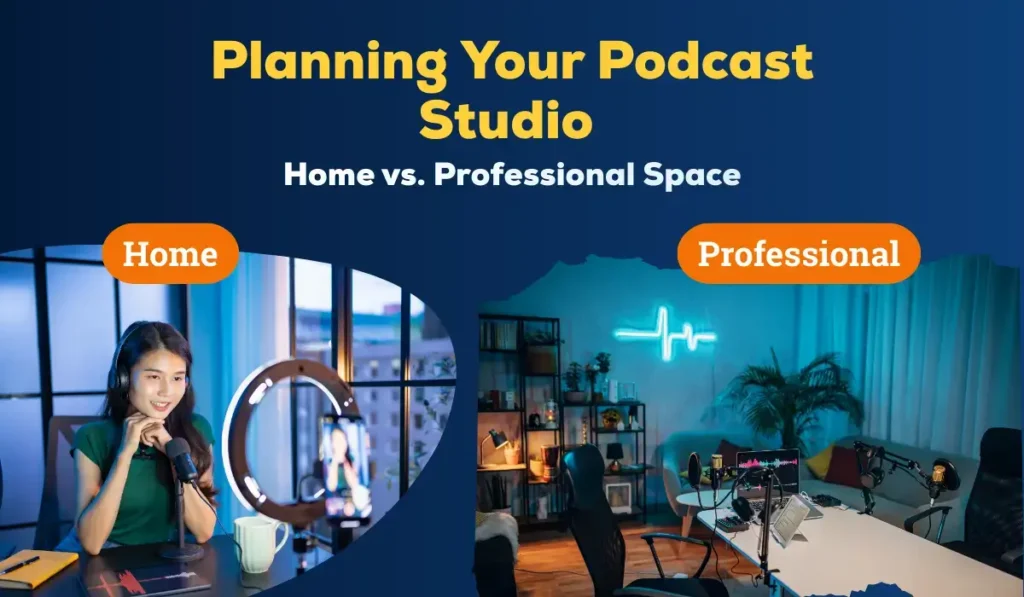
1. Home Podcast Studio
Most podcasters in 2025 start from home. Thanks to compact gear and AI-assisted post-production tools, you can achieve professional results from a spare room or even a quiet corner.
Advantages:
- Cost-effective
- Convenient for remote recording
- Easy to maintain and upgrade
Key Tips:
- Choose the quietest room possible (carpeted, minimal echo)
- Avoid rooms with hard surfaces like tiles or glass
- Add soft furnishings (curtains, rugs, foam panels) to absorb sound
2. Professional Podcast Studio
If you run a production company or monetize your show at scale, a dedicated professional podcast studio offers maximum control and scalability.
Advantages:
- Superior acoustics and sound isolation
- Space for guests and video recording
- Ideal for brand partnerships and livestreams
Key Consideration:
Factor in the cost of rent, design, and maintenance. Many creators today opt for co-working podcast studios that can be rented on an hourly basis, offering an affordable middle ground.
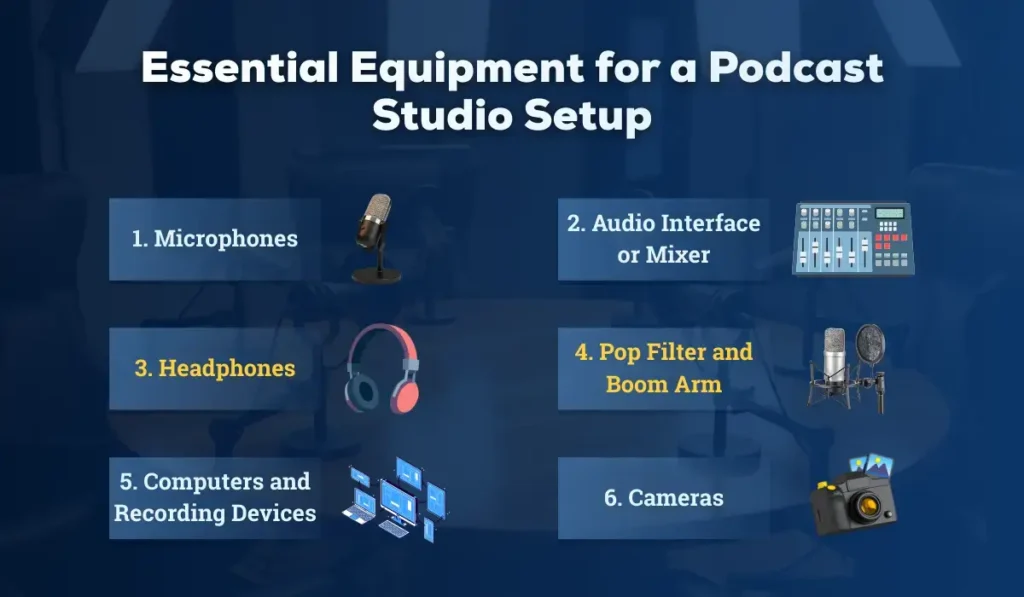
What is the Essential Equipment for a Podcast Studio Setup
The right equipment defines the quality and workflow of your show. Below are the essential pieces of equipment for 2025 and beyond, including both budget-friendly and professional options.
1. Microphones (Your Primary Investment)
Your microphone is the heart of your setup. Choose between dynamic and condenser microphones depending on your environment.
- Dynamic Microphones:
Best for untreated rooms. They reject background noise effectively.
Top Picks (2025): Shure MV7+, Rode PodMic USB, Samson Q9U - Condenser Microphones:
Deliver crisp, detailed audio — ideal for soundproofed studios.
Top Picks (2025): Audio-Technica AT2020X, Rode NT1 5th Gen, Blue Yeti X
2. Audio Interface or Mixer
An audio interface converts your microphone’s analog signal into digital audio for your computer.
For multi-guest shows, a mixer offers greater control.
- Recommended Interfaces (2025): Focusrite Scarlett 2i2 4th Gen, Rode AI-1, PreSonus Revelator io24
- Recommended Mixers: RodeCaster Pro II, Zoom PodTrak P8, Tascam Mixcast 4
Expert Tip: Look for models with USB-C connectivity and onboard DSP for noise reduction and EQ presets.
3. Headphones
Monitoring audio in real-time is critical for catching distortions and background noise.
- Closed-back headphones isolate noise better.
- Open-back headphones offer a natural sound but allow for bleed.
Top Picks: Audio-Technica ATH-M50x, Beyerdynamic DT 770 Pro, Sony MDR-7506
4. Pop Filter and Boom Arm
A pop filter minimizes plosive sounds (“p” and “b”) while a boom arm positions your mic comfortably.
- Recommended: Heil Sound PL-2T Boom, Blue Compass Arm, Neewer Mic Stand
- Add a shock mount to isolate vibrations from your desk.
5. Computers and Recording Devices
Most podcasters record directly into laptops or desktops. However, standalone recorders like the Zoom PodTrak P4 or RodeCaster Duo are great backups.
Specs to aim for:
- Processor: Intel i7 / Apple M3 / AMD Ryzen 7 or higher
- RAM: 16GB+
- Storage: SSD (512GB or more)
6. Cameras (for Video Podcasts)
In 2025, video podcasts dominate YouTube and social media. If you plan to record video:
- Entry Level: Logitech StreamCam, Elgato Facecam Pro
- Mid-range: Sony ZV-E10, Canon M50 Mark II
- Pro: Sony A7 IV, Blackmagic Pocket 6K
Add LED panel lighting, a ring light, and a softbox for balanced lighting.
Software for Recording, Editing, and Publishing
Choosing the right podcast software streamlines your workflow, guiding you smoothly from recording to sharing your episodes with the world.
1. Recording Software
- Audacity: Free and open source; ideal for beginners.
- Adobe Audition: Professional editing, noise reduction, multi-track capabilities.
- Reaper: Affordable, lightweight, highly customizable.
- Hindenburg Pro: Designed for journalists and podcasters.
2. Remote Recording Platforms (2025)
Remote interviews are the norm now. Platforms like Riverside.fm, SquadCast, and Zencastr 2.0 record high-resolution audio and video locally, even over unstable connections.
3. AI Tools for Editing
The most significant shift in 2025 is the adoption of AI-assisted editing.
Tools like Descript, Adobe Podcast Enhance, and Auphonic automatically remove background noise, balance levels, and even edit speech using text-based transcripts.
Soundproofing and Acoustic Treatment
Even the most expensive microphone can’t save you from poor room acoustics. To get crystal-clear sound, invest in soundproofing and acoustic treatment from the start.
1. Soundproofing (Blocking Noise)
- Use weather stripping on doors and windows.
- Add mass-loaded vinyl (MLV) panels to walls.
- Seal gaps and use thick curtains or acoustic blankets.
2. Acoustic Treatment (Improving Sound Quality)
- Install foam panels or acoustic diffusers behind and to the sides of your mic.
- Place a bass trap in each corner.
- Use carpets or rugs to reduce reflections on the floor.
Affordable tip: Start with a “vocal booth corner” using a portable sound isolation shield behind your mic.
Internet and Streaming Setup
If you stream live episodes or conduct remote interviews, reliable internet is essential.
- Minimum Speed: 25 Mbps upload
- Preferred: Fiber connection (50+ Mbps)
- Hardware: Wired Ethernet > Wi-Fi for stability
- Backup: Mobile hotspot or 5G dongle
Streaming Platforms (2025): OBS Studio, StreamYard, Restream, and Ecamm Live dominate the podcast video-streaming space.
Workflow and Automation
Professional podcasters automate repetitive tasks to save time.
Here’s how you can streamline your process in 2025:
- Recording: Schedule and capture using Riverside or RodeCaster Pro II
- Editing: AI noise reduction via Adobe Enhance Speech or Auphonic
- Show Notes: Generate with ChatGPT or Notion AI (then edit manually for SEO)
- Transcription: Use tools like Whisper or Descript
- Distribution: Automate uploads via Spotify for Podcasters, Podbean, or Buzzsprout
- Marketing: Auto-publish audiograms and clips via Headliner or OpusClip
Lighting and Aesthetics: The Visual Edge
In the era of video podcasts and short-form clips, how your studio looks matters as much as how it sounds.
Design Tips:
- Use RGB LED backlights for ambiance
- Add brand-themed décor (posters, plants, shelves)
- Maintain a consistent color palette for visual branding
- Position lights at 45-degree angles to reduce shadows
Recommended gear: Elgato Key Light, Neewer LED Panels, Nanoleaf Shapes for background effects.
Budget Breakdown: Building a Studio at Any Level
| Budget Tier | Recommended Setup | Estimated Cost (INR) |
| Starter | USB Mic (Rode NT-USB Mini), Basic Headphones, Audacity, Foam Panels | ₹25,000 |
| Intermediate (Semi-Pro) | XLR Mic (Shure MV7+), Audio Interface (Focusrite 2i2), Boom Arm, Auphonic AI | ₹60,000 |
| Professional Studio | RodeCaster Pro II, 2x XLR Mics, Acoustic Panels, LED Lights, Video Camera | ₹1.5+ |
Always prioritize the microphone and acoustics first; you can upgrade lighting, cameras, and décor later.
Podcast Studio Setup Checklist (2025 Edition)
Use this comprehensive checklist to ensure your podcast studio has everything you need for professional-quality audio and smooth recording sessions. It’s designed for both beginners and experienced podcasters planning to upgrade their setup in 2025.
- Dynamic or Condenser Microphone
- Audio Interface / Mixer
- Headphones & Pop Filter
- Computer or Recorder
- Acoustic Panels or Isolation Shield
- Recording & Editing Software
- Stable Internet & Backup Power
- Lighting Setup (for video podcasts)
- Cloud Storage & Backup (Google Drive, Dropbox, or NAS)
- AI Tools for Editing & Transcription
Keep this checklist handy as you build or upgrade your studio.
What are the Future Trends in Podcast Studios (2025 and Beyond)
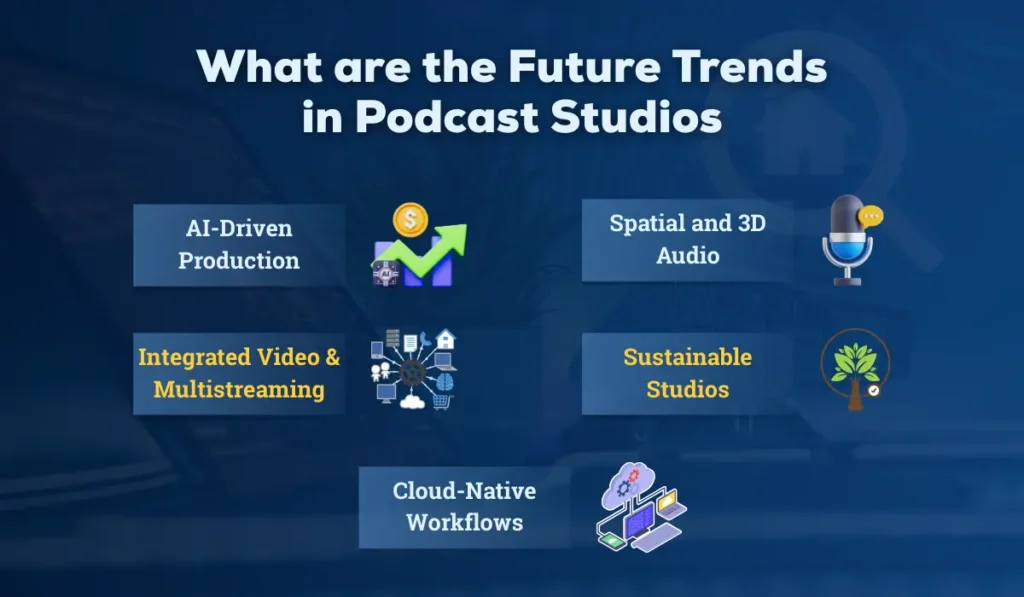
The future of podcast studios in 2025 and beyond is being shaped by AI-driven production, immersive audio experiences, integrated video workflows, sustainable design, and cloud-native collaboration tools. These trends are transforming how podcasters create, edit, and distribute content, making production faster, more engaging, and globally accessible. As technology evolves, creators can focus more on storytelling while leveraging smarter tools to enhance quality and reach. Here are in-depth emerging trends redefining how creators record and distribute content:
a. AI-Driven Production
Voice cloning for intros, AI hosts, automated editing, and smart noise reduction are becoming mainstream. Expect intelligent tools that detect filler words, adjust tone, and even suggest edits.
b. Spatial and 3D Audio
Immersive listening is on the rise, especially for storytelling and branded podcasts. Tools like Dolby Atmos for Podcasts enable surround-sound experiences.
c. Integrated Video & Multistreaming
Podcasters now simulcast to YouTube, Spotify Video, and Twitch. Studio gear is increasingly built for hybrid audio-video workflows.
d. Sustainable Studios
Eco-friendly setups using energy-efficient lighting and recycled acoustic materials are gaining traction.
e. Cloud-Native Workflows
Cloud recording and real-time collaboration tools eliminate the need for local storage, enabling global co-hosts to record in sync.
Also Read This: Your YouTube Studio Setup Guide
Common Mistakes to Avoid
Many aspiring podcasters focus on gear or content but overlook critical setup and workflow details. Avoid these common pitfalls to ensure your podcast sounds professional, engages listeners, and grows consistently:
- Ignoring room acoustics — The biggest beginner mistake.
- Overbuying gear — Start simple and scale up.
- Neglecting backup recordings — Always record a second copy.
- Poor cable management — Leads to noise and clutter.
- Skipping post-production — Raw recordings almost always need polish.
Launching and Growing Your Podcast
Now that your podcast studio is ready, it’s time to bring your show to life and connect with your audience in meaningful ways. Here’s how to make your podcast stand out and grow steadily:
- Plan your format: interview, solo, narrative, or panel; choose the one that feels right.
- Maintain consistency: Release episodes regularly so listeners know when to tune in.
- Promote your podcast: Post clips and highlights on social media like Instagram, YouTube Shorts, and LinkedIn to reach a wider audience.
- Engage your community: Respond to comments and feedback, and make your audience feel heard.
Use analytics from Spotify for Podcasters, Podbean, or Chartable to refine your content strategy.
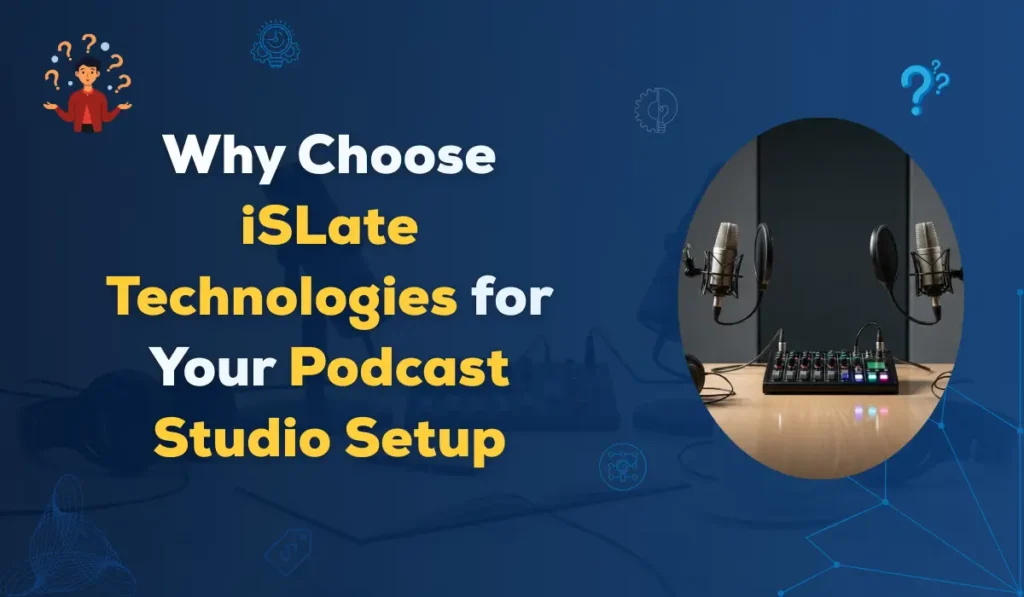
Why Choose iSLate Technologies for Your Podcast Studio Setup
When building a professional podcast studio, choosing the right technology partner is crucial. iSLate Technologies has emerged as a trusted name in India’s audio-visual and digital content solutions market, offering end-to-end support for podcasters, educators, and content creators.
Here’s why iSLate stands out for your podcast studio setup:
Comprehensive Audio-Visual Solutions
iSLate offers everything you need to get started, from microphones and mixers to headphones and audio interfaces. Their carefully selected equipment ensures your podcast sounds professional from day one.
Expert Studio Design & Setup
Setting up a studio can be tricky. iSLate guides you through room layout, acoustics, and soundproofing, ensuring every corner of your space works for crystal-clear audio.
Seamless Integration with Modern Tools
Whether it’s recording software, AI editing tools, or remote interviews, iSLate’s solutions plug in effortlessly, allowing you to focus on creating content, not troubleshooting technology.
Scalable Solutions for Growth
Start small or go big. iSLate provides modular setups that grow with your podcast, whether you expand to video, multi-host episodes, or live streaming.
Reliable Support & Training
You’re never left on your own. Their team offers step-by-step guidance and troubleshooting tips so even beginners can produce top-notch audio with confidence.
Future-Ready Innovation
From smart audio processors to AI-powered editing, iSLate remains at the forefront of trends. Your studio will be equipped to handle the latest podcasting technologies seamlessly.
Choosing iSLate Technologies means partnering with a company that combines cutting-edge podcasting technology, professional guidance, and ongoing support, helping you create a studio that consistently delivers crisp, clear, and captivating audio.
Conclusion
A podcast studio setup in 2025 is easier and more accessible than ever, but success still depends on preparation, creativity, and consistency. The right combination of hardware, software, and workflow automation will let you focus on what truly matters: creating authentic, high-quality content that resonates with your audience.
Whether you’re building a compact home podcast studio or a fully equipped professional production space, follow the principles that are in this podcast studio setup guide to produce sound that captivates listeners and stands out in an increasingly competitive digital world.
FAQs
1. How do I set up a podcast studio?
Start by choosing a quiet space and treating it with acoustic panels or foam to reduce echo. Add a quality microphone, headphones, and a recording device or computer with audio software. Organize your desk, cables, and lighting to create a comfortable and distraction-free environment.
2. What equipment do you need for a podcast studio?
At minimum, you’ll need a quality microphone, headphones, an audio interface, a pop filter, and recording software. Optional extras such as acoustic panels, a mixer, and a boom arm can enhance sound quality and comfort.
3. How to set up a studio for podcasts?
Focus on reducing background noise with acoustic treatment, position your microphone for clear audio, and test your setup with a few trial recordings. Proper lighting and camera setup help if you plan to record video podcasts.
4. How much does it cost to set up a podcast studio?
A basic home podcast setup can cost around ₹15,000 to ₹40,000, while a professional studio with multiple mics, mixers, and soundproofing can range from ₹83,000 to ₹4,15,000 or more, depending on your needs.



Pingback: Best Studio Setup Guide (2025 & 2026): Types, Benefits, & Choosing The Best
Pingback: Complete YouTube Studio Setup Guide (Camera, Lights, Sound)
Pingback: Video Podcast Studio Setup: Complete Guide to Setup, Lighting & Streaming Workflow - islatetechnologies
Pingback: Video Recording Studio Setup Cost In India