4K PTZ cameras have become a cornerstone of professional virtual events and online education. By delivering ultra-high-definition video, intelligent movement, and flexible control, 4K PTZ (Pan-Tilt-Zoom) cameras dramatically improve visual clarity, engagement, and production quality in both virtual events and online classes.
As organizations, educators, and event hosts move toward hybrid and digital-first formats, traditional webcams and static cameras no longer meet expectations. This is where 4K PTZ cameras stand out—offering studio-level video quality with minimal operational complexity. This guide explains how 4K PTZ cameras enhance virtual events and online learning, real-world use cases, setup best practices, and future trends.
What Makes 4K PTZ Cameras Ideal for Virtual Events and Online Classes
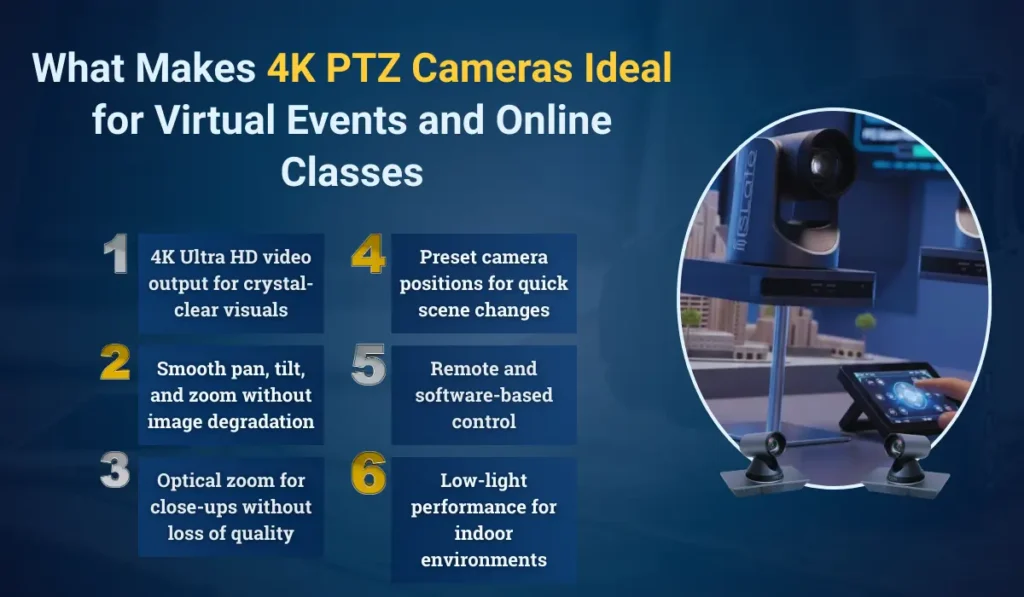
4K PTZ cameras combine ultra-HD resolution with mechanical pan, tilt, and optical zoom, making them uniquely suited for dynamic, interactive environments.
Key capabilities include:
- 4K Ultra HD video output for crystal-clear visuals
- Smooth pan, tilt, and zoom without image degradation
- Optical zoom for close-ups without loss of quality
- Preset camera positions for quick scene changes
- Remote and software-based control
- Low-light performance for indoor environments
Unlike webcams, PTZ cameras can cover an entire room, follow speakers, and zoom into details, making them ideal for classrooms, auditoriums, studios, and conference halls.
Benefits of 4K PTZ Cameras in Virtual Events
Virtual events demand high visual quality and seamless presentation, and 4K PTZ cameras deliver both with ease. By combining ultra-high-definition video with intelligent camera movement, they help organizers produce professional, engaging events without complex setups. From superior video clarity to flexible camera control and cost efficiency, 4K PTZ cameras offer multiple advantages for virtual event production. Below are some key benefits:
1. Clearer, More Professional Video Quality
The most immediate improvement comes from video clarity. 4K resolution delivers four times the detail of Full HD, making presenters, stage elements, and visuals appear sharp and professional. This level of clarity improves audience trust and keeps viewers engaged for longer durations.
2. Flexibility With Multiple Angles and Views
With PTZ functionality, a single camera can capture:
- The presenter
- The audience
- Presentation screens
- Panel discussions
Preset positions allow instant switching between views without manual repositioning, creating a broadcast-like experience.
3. Cost-Effective Event Production
One 4K PTZ camera can replace multiple fixed cameras. This reduces:
- Equipment costs
- Crew requirements
- Setup complexity
Event organizers can deliver professional-quality streams with fewer resources.
4. Higher Audience Engagement
Dynamic camera movement keeps virtual audiences visually engaged. Zooming into speakers, demonstrations, or products adds emphasis and clarity, improving retention and interaction.
Benefits of 4K PTZ Cameras in Online Classes
4K PTZ cameras transform online and hybrid classrooms by improving teacher visibility, lesson clarity, and student engagement. With intelligent movement and ultra-HD video, they ensure a smooth, inclusive learning experience for both in-class and remote students.
1. Enhanced Teacher Visibility
In online and hybrid classrooms, teacher presence matters. 4K PTZ cameras ensure educators remain clearly visible even when moving around, writing on boards, or interacting with students.
2. Auto-Tracking Keeps Focus on Educators
Many modern PTZ cameras include AI-powered auto-tracking, which automatically follows the teacher as they move. This ensures students stay focused on instruction without manual camera adjustments.
3. Close-Ups on Teaching Aids
PTZ cameras allow teachers to zoom into:
- Textbooks
- Lab demonstrations
- Diagrams and charts
- Physical models
This significantly improves concept clarity, especially for science, math, and technical subjects.
4. Seamless Hybrid Learning Experience
PTZ cameras bridge the gap between physical and remote classrooms. Students attending online receive the same visual experience as those in the room, creating equity in learning delivery.
PTZ Camera Control Modes That Improve User Experience
PTZ cameras offer multiple control modes designed to simplify operation while delivering professional-quality video output. These modes allow educators and event hosts to manage camera movements effortlessly, ensuring smooth transitions, accurate framing, and a more engaging experience for viewers.
Manual Control (Remote or Software-Based)
Teachers or event moderators can control camera movement in real time using remotes, software dashboards, or control panels.
Preset Positions
Preset angles allow instant switching between views—ideal for:
- Lectures
- Panel discussions
- Q&A sessions
- Demonstrations
AI Auto-Tracking
Auto-tracking detects human movement and keeps the speaker centered, reducing the need for manual operation and improving consistency.
Integration With AV and Streaming Software
4K PTZ cameras integrate seamlessly with platforms like Zoom, Microsoft Teams, OBS, vMix, and other streaming tools, enabling professional workflows.
Real Use Cases of 4K PTZ Cameras
Online Classes and Digital Lectures
Educational institutions use PTZ cameras to deliver high-quality remote lectures that feel immersive and interactive.
Webinars and Corporate Virtual Events
Corporate webinars benefit from professional framing, clean visuals, and smooth transitions—key for branding and credibility.
Panel Discussions and Conferences
PTZ cameras can smoothly switch between speakers without interruptions, making discussions more engaging.
Hybrid Classrooms
PTZ cameras support hybrid teaching by capturing both instructors and classroom interactions, ensuring remote students remain involved.
Community and Religious Events
PTZ cameras are also used for virtual ceremonies, seminars, and community gatherings, offering wider reach and accessibility.
How to Set Up 4K PTZ Cameras for Virtual Events and Classes
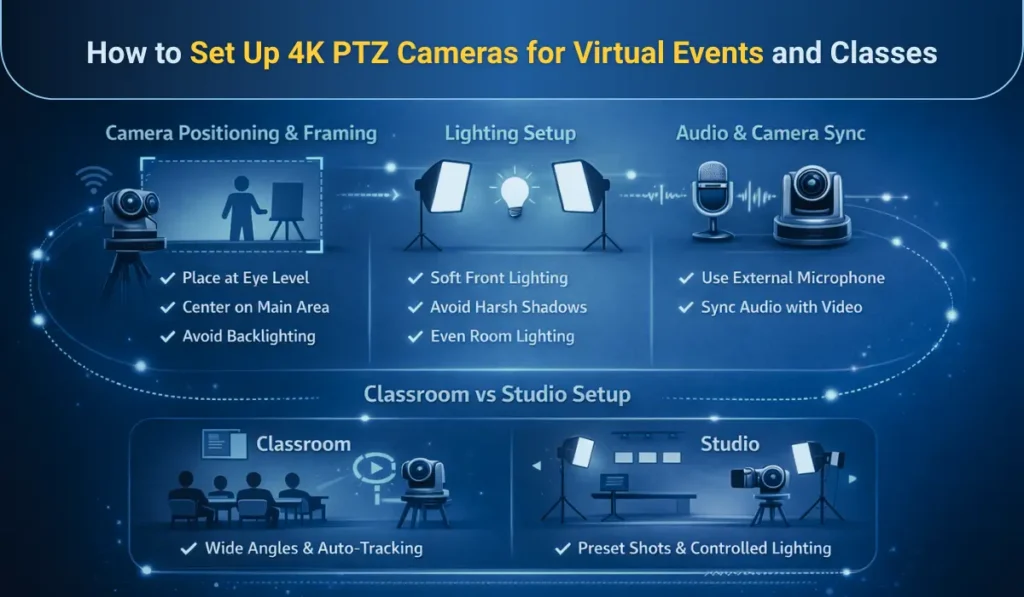
An effective 4K PTZ camera setup goes beyond just installation—it directly impacts video clarity, audience engagement, and overall streaming quality. By optimizing camera positioning, lighting, and audio synchronization, you can create a seamless and professional virtual learning or event experience.
Camera Positioning and Framing
- Place the camera at eye level
- Center it to cover the main activity area
- Avoid strong backlighting
Lighting Setup
- Use soft, front-facing lights
- Avoid harsh shadows and glare
- Ensure even lighting across the room
Audio and Camera Synchronization
PTZ cameras work best when paired with external microphones. Clear audio combined with sharp video delivers a professional experience.
Classroom vs Studio Setup
- Classrooms require wider angles and auto-tracking
- Studios benefit from controlled lighting and preset shots
Explore This Also: How to choose the best 4K ptz camera for live streaming
PTZ Cameras vs Webcams vs Fixed Cameras
| Feature | 4K PTZ Camera | Webcam | Fixed Camera |
| Video Quality | Ultra HD 4K | HD | Full HD |
| Optical Zoom | Yes | No | Limited |
| Movement | Pan, Tilt, Zoom | Static | Static |
| Auto Tracking | Yes | No | Sometimes |
| Professional Use | High | Low | Medium |
This comparison highlights why PTZ cameras are preferred for professional virtual meetings and presentations.
Read This Also: Complete 4K PTZ camera features guide
Common Challenges and Pitfalls to Avoid
- Overusing auto-tracking in crowded environments
- Poor lighting, which affects even 4K video
- Excessive zoom, reducing frame stability
- Insufficient bandwidth for high-resolution streaming
Addressing these factors ensures consistent performance.
Why Camera Quality Matters When Choosing a 4K PTZ Camera
Not all PTZ cameras deliver the same results. Key factors that impact performance include:
- Sensor quality
- Optical zoom capability
- Frame rate support
- Connectivity options
- Long-term firmware updates
Understanding these elements helps buyers make informed decisions and aligns naturally with detailed feature and buying guides.
Final Thoughts: Elevating Virtual Experiences With 4K PTZ Cameras
4K PTZ cameras have become a game-changer for virtual events and online classes by delivering exceptional video clarity, intelligent camera movement, and professional-grade control. As audiences increasingly expect high-quality digital experiences, relying on basic webcams or static cameras is no longer enough. PTZ cameras enable presenters and educators to move naturally, demonstrate concepts clearly, and maintain strong visual engagement—without the need for technical complexity.
For online education, 4K PTZ cameras create more immersive and inclusive learning environments, especially in hybrid classrooms where remote students must feel equally involved. In virtual events, they elevate production quality, strengthen brand perception, and improve audience retention through dynamic framing and smooth transitions.
As technology continues to evolve with AI tracking, cloud control, and deeper integration with digital learning tools, 4K PTZ cameras represent a future-ready investment. For institutions and organizations focused on scalability, professionalism, and long-term digital success, choosing the right 4K PTZ camera is not just an upgrade—it’s a strategic step toward better communication and engagement.
FAQs
Are 4K PTZ cameras worth it for online teaching?
Yes. 4K PTZ cameras significantly improve visibility, engagement, and teaching effectiveness, especially in hybrid classrooms.
Do 4K PTZ cameras work with Zoom and Teams?
Yes. Most modern PTZ cameras integrate seamlessly with popular video conferencing platforms.
Do PTZ cameras require a camera operator?
Not necessarily. Presets and auto-tracking reduce the need for manual operation.
How far can a PTZ camera zoom without losing quality?
In the PTZ camera Optical zoom maintains image clarity even at high zoom levels, unlike digital zoom.