
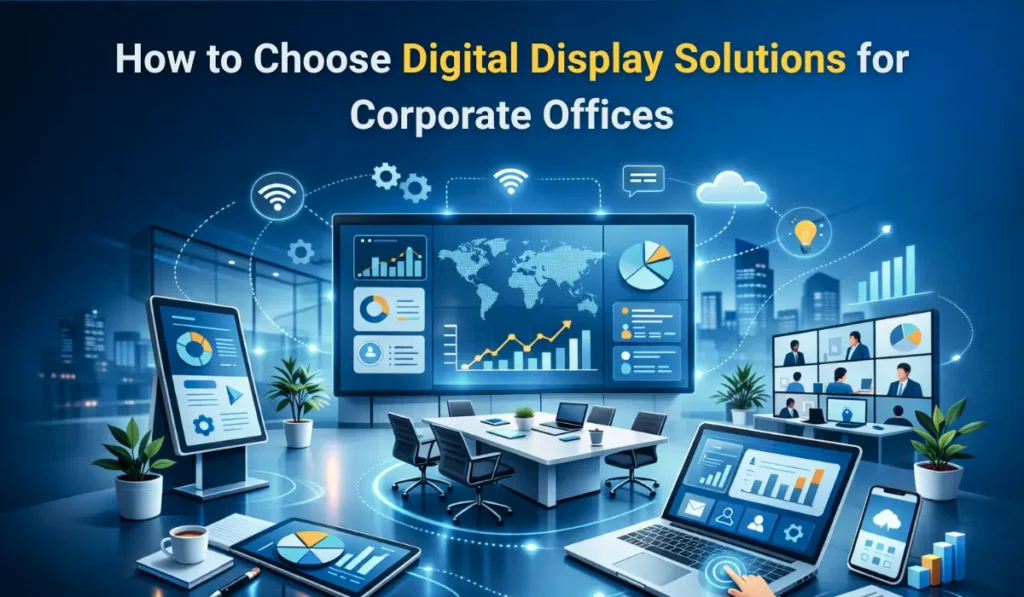
Modern corporate offices rely heavily on visual communication. From presentations and brainstorming sessions to internal announcements and client engagement, digital displays have become essential workplace tools. Choosing the right digital display solutions can significantly improve how teams collaborate, share ideas, and deliver information across an organization.
However, with so many options available today, interactive displays, digital signage, conference room panels, and video walls, many businesses struggle to identify the best digital display solutions for their specific needs. Selecting the wrong technology can lead to poor performance, wasted budgets, and limited long-term value.
In 2026, digital display technologies have evolved to support hybrid work, cloud collaboration, and high-resolution visual communication. Companies now expect displays that integrate with meeting platforms, support wireless presentations, and deliver sharp visuals for professional environments.
This buyer’s guide explains how to choose the right digital display solutions for corporate offices step by step. You will learn about different display types, essential features, best practices, and evaluation criteria so your business can make a confident, future-ready investment in display technology.
Why Choosing the Right Digital Display Solutions Matters for Modern Corporate Offices
Corporate communication has transformed dramatically over the past decade. Traditional whiteboards, projectors, and static signage are gradually being replaced by smart office displays and interactive workplace technology.
Modern businesses need faster ways to share information, collaborate with remote teams, and create engaging meeting environments. This is where digital display solutions play a critical role.
Evolution of Workplace Communication
Earlier offices relied on projectors or printed materials for presentations. Today, businesses are adopting corporate AV solutions that combine touch interaction, cloud connectivity, and ultra-high-definition displays.
Interactive displays allow teams to annotate presentations, brainstorm visually, and collaborate in real time. Meanwhile, digital signage screens distribute company updates, announcements, and marketing content throughout the workplace.
Impact on Productivity, Collaboration, and Branding
The right display solutions help organizations improve:
- Meeting productivity through real-time collaboration
- Internal communication with dynamic digital signage
- Corporate branding through professional visual displays
- Hybrid work collaboration across remote teams
Employees can share content instantly, visualize data more clearly, and participate actively during discussions.
Why Businesses Are Upgrading in 2026
Companies upgrading their workplace technology in 2026 are driven by several factors:
- Hybrid work environments
- Need for smarter meeting rooms
- Growth of AI-powered collaboration tools
- Demand for 4K and large-format displays
These technologies create modern workplaces that support efficient communication.
Common Mistakes Businesses Make
Despite the benefits, many companies still make costly mistakes when selecting display solutions.
Common issues include:
- Choosing displays based only on price
- Ignoring long-term scalability
- Selecting incorrect screen sizes
- Overlooking software integration
Understanding your business needs first is the most important step toward choosing the best digital display solutions.
What Are Digital Display Solutions? (Complete Beginner Explanation)
Digital display solutions refer to modern electronic display systems used to present information, visual content, or interactive media in workplaces. These solutions are designed to replace traditional communication tools such as projectors, printed boards, and static signage.
In corporate environments, digital displays support presentations, collaboration, internal messaging, and customer engagement.
Definition of Digital Display Solutions in Corporate Environments
Digital display solutions include hardware and software systems that deliver visual communication through high-resolution screens.
They typically combine:
- Professional display hardware
- Interactive touch capabilities
- Content management software
- Connectivity with office devices
These systems help businesses deliver clear information across meeting rooms, lobbies, training centers, and collaborative workspaces.
Types of Digital Display Solutions Used in Offices
Corporate offices use different types of display technologies depending on their needs.
Interactive Display Solutions
Interactive flat panels allow users to touch the screen, annotate content, and collaborate during meetings. These displays are commonly used in conference rooms and training environments.
Digital Signage Display Solutions
Digital signage screens display dynamic content such as announcements, dashboards, company news, or marketing content. They are often installed in lobbies, hallways, or common areas.
Video Wall Systems
Video walls combine multiple displays to create large, high-impact visual environments. These are commonly used in command centers, corporate headquarters, or event spaces.
Conference Room Displays
Large screens designed specifically for meetings help teams present documents, share screens, and conduct video calls with clarity.
Reception and Lobby Screens
Digital displays in reception areas provide visitor information, brand messaging, and welcome content for guests.
How Digital Display Solutions Differ From Traditional Projectors
Traditional projectors rely on external devices, limited brightness, and controlled lighting conditions.
Modern display solutions offer several advantages:
- Brighter screens with 4K resolution
- Interactive touch features
- Built-in operating systems
- Wireless connectivity
- Lower maintenance requirements
As a result, many organizations are replacing projectors with advanced interactive display solutions and digital signage systems.
Discover to Buy Interactive Flat Panels with 4K Resolution
How to Choose the Right Digital Display Solutions for Corporate Offices
Selecting the ideal display technology requires understanding how the display will be used inside your organization.
Businesses should evaluate their needs, workspace environment, and collaboration tools before making a decision.
Step 1 — Identify Your Business Use Case First
Different departments use displays differently. Defining the purpose helps narrow down the best solution.
Common corporate use cases include:
Meetings and Collaboration
Interactive displays allow teams to brainstorm, annotate ideas, and present information in real time.
Internal Communication
Digital signage displays distribute company updates, KPI dashboards, and internal announcements across office spaces.
Customer Engagement
Reception screens and lobby displays help businesses showcase brand messaging and welcome visitors professionally.
Training and Presentations
Large displays improve training sessions by providing clear visuals and interactive learning experiences.
Understanding the main purpose ensures you choose the right digital display solutions for your office.
Step 2 — Choose the Right Display Type for Your Office Needs
Which Digital Display Is Best for Conference Rooms?
Interactive flat panels are widely considered the best choice for conference rooms. They support touch interaction, wireless presentation, and integration with collaboration platforms.
What Display Solutions Work Best for Office Lobbies?
Digital signage screens or video walls are ideal for lobbies. They display dynamic content such as welcome messages, corporate videos, or announcements.
Are Interactive Display Solutions Worth It for Meeting Rooms?
Yes. Interactive displays such as digital boards improve meeting engagement, allow real-time annotation, and simplify collaboration during presentations.
Step 3 — Select the Ideal Screen Size and Resolution
Display size should match the room size and viewing distance.
A simple rule many AV professionals use is:
Viewing distance (in meters) ÷ 1.5 = ideal screen size (in inches)
In 2026, 4K resolution has become the standard for corporate displays because it delivers clear visuals for presentations and data visualization.
Larger meeting rooms often require displays such as:
- 75-inch screens
- 86-inch displays
- 98-inch large format panels
Step 4 — Evaluate Touch and Interactivity Requirements
Interactive displays provide collaborative features that standard screens cannot offer.
Important capabilities include:
- Multi-touch support for multiple users
- Stylus writing and annotation
- Interactive whiteboarding tools
- Screen collaboration during meetings
These features are particularly valuable for brainstorming sessions and training environments.
Step 5 — Check Connectivity and Integration Options
Modern displays should integrate seamlessly with office technology.
Essential connectivity features include:
- Wireless screen sharing
- HDMI and USB-C ports
- LAN connectivity
- Compatibility with Microsoft Teams, Zoom, and Google Meet
This ensures employees can present content quickly without technical barriers.
Step 6 — Compare Software Ecosystem and Smart Features
Many modern displays now function as complete collaboration platforms.
Key smart features to evaluate include:
- Built-in digital whiteboards
- Cloud collaboration tools
- Remote device management
- Enterprise security features
The best display solutions combine powerful hardware with smart collaboration software.
What Features Define the Best Digital Display Solutions in 2026?
When evaluating display technology, businesses should focus on essential enterprise display features and commercial display specifications.
These features determine the performance, usability, and long-term value of a display solution.
What Resolution Should Corporate Display Solutions Have?
For professional environments, 4K resolution is the recommended standard.
Higher resolution ensures:
- Sharper text during presentations
- Better data visualization
- Clear video conferencing experiences
- Improved viewing in larger meeting rooms
Lower resolutions may appear blurry when displaying spreadsheets or design content.
How Important Is Anti-Glare and Brightness in Office Displays?
Office lighting can affect display visibility. Anti-glare coatings reduce reflections and ensure comfortable viewing. Brightness levels of 350–500 nits are typically ideal for indoor corporate environments. This ensures content remains visible even in bright office spaces.
Do You Need Built-In Android or Windows OPS?
Many corporate displays now include built-in operating systems.
Two common options include:
- Android OS for built-in apps and quick functionality
- Windows OPS modules for full PC capabilities
The choice depends on whether your organization needs advanced software integration.
What Role Does AI Play in Modern Digital Display Solutions?
AI is gradually transforming workplace displays.
New systems now include:
- AI-assisted meeting summaries
- Smart camera tracking for video calls
- Automated content scheduling for digital signage
These features help organizations streamline collaboration and communication.
How Important Is After-Sales Support and Warranty?
Professional display solutions require reliable support.
Businesses should look for:
- Multi-year warranties
- On-site technical support
- Software updates
- Spare part availability
Reliable service ensures your investment continues to perform over the long term.
Common Mistakes to Avoid When Choosing Digital Display Solutions
Many organizations invest in display technology without proper planning.
Why Do Many Companies Overspend on Display Technology?
Businesses sometimes purchase high-end displays with features they rarely use. Over-specifying hardware can significantly increase costs.
What Features Are Often Unnecessary for Offices?
Some organizations pay for advanced capabilities such as complex video wall systems when a simple interactive display would meet their needs.
Why Ignoring Scalability Can Cost You Later?
As companies grow, their technology needs change. Choosing systems that cannot scale or integrate with new tools may require costly upgrades.
Is Cheapest Always the Worst Choice?
Not necessarily. However, extremely low-cost displays may lack reliability, durability, or professional support.
Balancing cost with long-term performance is the best approach.
How to Evaluate Digital Display Vendors in India
Choosing the right vendor is just as important as selecting the display itself.
A trusted vendor ensures quality installation, training, and ongoing support.
Questions to Ask Before Buying
Before making a purchase, businesses should ask:
- What warranty and service options are available?
- Does the display support future software updates?
- Can the vendor provide installation and training?
These questions help evaluate vendor reliability.
Importance of Demo and Pilot Testing
Testing the display in a real environment allows teams to evaluate:
- Touch responsiveness
- Screen clarity
- Collaboration features
A live demonstration helps businesses confirm the display meets their expectations.
Service Network and Support Coverage
Corporate displays require long-term maintenance.
Businesses should choose vendors with:
- Nationwide service coverage
- Dedicated support teams
- Quick replacement services
This ensures minimal downtime if technical issues occur.
Comparing Global vs Indian Display Solution Providers
Both international and Indian manufacturers offer competitive solutions.
Some organizations prefer global brands for their long history in display technology. Others explore innovative Indian companies developing workplace display solutions.
For example, companies like iSlate Technologies are part of India’s growing ecosystem of digital display providers focused on modern collaboration technology.
Evaluating vendor expertise, support infrastructure, and product reliability is more important than brand reputation alone.
Explore This to Get the Best Brand for Your Digital Display Solutions: Interactive Flat Panel Brands for Corporate Offices
Final Checklist — How to Choose the Best Digital Display Solutions for Your Office
Use this quick checklist when evaluating display technology for your organization:
✔ Define your primary use case
✔ Choose the appropriate display type
✔ Confirm screen size and resolution
✔ Evaluate touch and collaboration features
✔ Verify connectivity and integration options
✔ Review warranty and support services
✔ Request a live demo before purchase
Following this checklist helps organizations confidently select the best digital display solutions for their workplace.
Final Thoughts: Making the Right Investment in Digital Display Solutions
Investing in modern display technology is more than a hardware upgrade—it is a strategic decision that influences how teams communicate, collaborate, and innovate. Businesses that choose the right digital display solutions create workplaces that support efficient meetings, engaging presentations, and seamless hybrid collaboration.
The most successful organizations approach display investments with a long-term mindset. Instead of focusing only on cost, they evaluate usability, integration capabilities, scalability, and vendor support. This ensures the technology remains valuable as the company grows.
As digital workplaces evolve, the best digital display solutions combine high-resolution screens, intuitive interactivity, and smart collaboration software. These systems help organizations improve communication and productivity across teams.
Before making a purchase, businesses should request product demonstrations, carefully compare vendors, and consult display specialists who understand corporate AV environments. A hands-on demo often reveals which solution truly fits your office needs.
By choosing the right technology today, companies can build smarter, more collaborative workplaces for the future.