
Your Ultimate Resource for Buying, Setting Up, and Maximizing Your Gaming Monitor Floor Stand
Gaming setups have evolved from casual desk arrangements into full-blown command centers — and one component that’s becoming increasingly essential is the gaming monitor floor stand. Whether you’re a professional gamer, content creator, streamer, or enthusiast with multiple monitors, a floor stand can enhance ergonomics, save space, and bring your setup to the next level.
In this comprehensive guide, we’ll help you understand everything about gaming monitor floor stands — from what they are, how to choose the best stand, to setup tips, maintenance, and why brands like iSLate Technologies should be on your radar if you’re in India or around the globe.
What Is a Gaming Monitor Floor Stand?
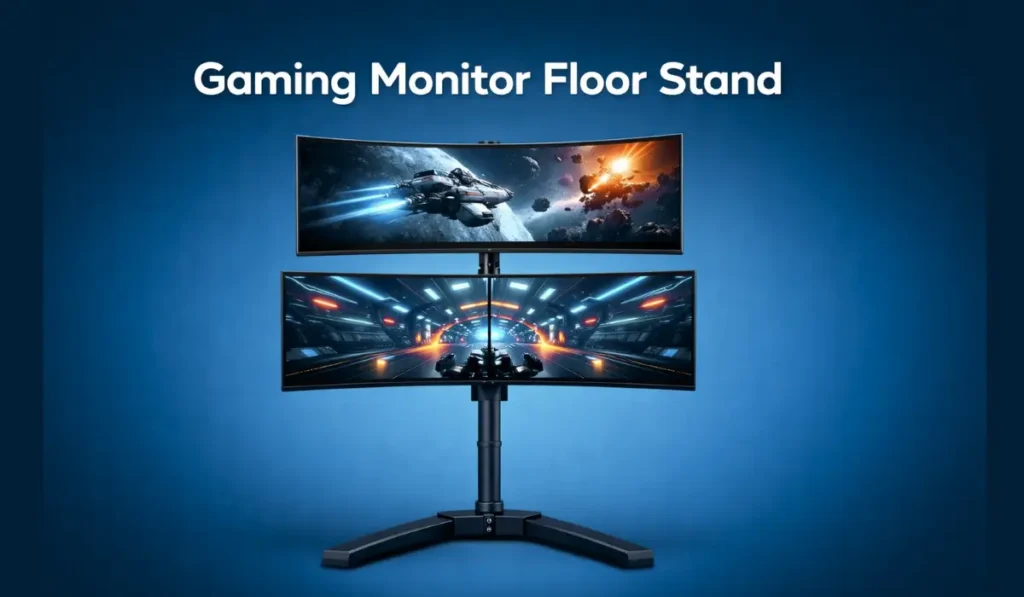
A gaming monitor floor stand is a support system designed to hold one or multiple monitors without using a desk mount or traditional tabletop stand. These stands free up desk space, allow greater flexibility in positioning, and help create an immersive, ergonomic gaming experience.
Unlike standard stands, floor stands are:
- Height-adjustable
- Tilt and swivel capable
- Designed for heavy, ultrawide, or multi-monitor configurations
- Ideal for gaming, professional workstations, simulators, and entertainment rigs
They are sometimes referred to as free-standing monitor stands, floor-mounted display stands, or multi-monitor floor mounts.
Why Gamers Should Consider a Floor Stand
Before we dive into how to choose, let’s look at why gaming monitor floor stands are so popular, especially in the competitive gaming world.
1. Better Ergonomics
Long gaming sessions demand comfort. Floor stands let you:
- Position the screen at eye level
- Reduce neck strain
- Improve posture
This makes a world of difference for gamers spending hours at their rigs.
2. Maximize Desk Space
Desk clutter = distraction. A stand that lifts monitors off your desk gives you:
- More room for peripherals
- Cleaner cable management
- Space for accessories like consoles or keyboards
3. Ideal for Multiple Monitors
Triple or dual-monitor setups create an immersive field of view (FOV) perfect for:
- RPG and simulation games
- Streaming dashboards
- Workspaces that require multitasking
4. Aesthetic and Visual Impact
Floor stands transform your gaming battlestation instantly. They look professional, crisp, and high-end — important if you’re streaming or showcasing your setup on social media.
The Complete Guide on Computer Floor Stand
How to Choose the Right Gaming Monitor Floor Stand
Here’s where most buyers get overwhelmed: there are lots of options, features, specs, and technical details.
Let’s break it down step by step.
1. Consider Your Monitor Setup
Single Monitor Stand
Best if:
- You use only one large screen
- Your desk space is minimal
- Ergonomics is the top priority
Dual or Triple Monitor Floor Stands
Best for:
- Multi-gaming displays
- Enhanced peripheral vision
- Higher productivity and immersive gameplay
Many stands support configurations from dual to 5-screen arrays.
Pro Tip: Check if the stand supports VESA mount patterns (e.g., 75×75 mm or 100×100 mm), which most monitors commonly use.
2. Gaming Monitor Size and Weight Capacity
A crucial spec that often gets overlooked.
Most stands will list:
- Supported screen size (inches)
- Maximum weight per monitor
So before buying, measure:
✔ Your monitor’s diagonal size
✔ The weight (check manufacturer specs)
For example:
A stand rated for 32″ screens may not safely support a 49″ ultrawide model.
3. Adjustability Features
The game changes when your monitor can:
- Tilt up/down
- Swivel left/right
- Rotate to portrait mode
- Adjust height smoothly
These aren’t just comfort features — they improve:
- Viewing angle
- Reduced glare
- Extended ergonomic range
4. Stability & Build Quality
Cheap stands may wobble, especially during intense gaming or typing.
Look for:
✔ Heavy base or weighted feet
✔ Durable materials (steel, aluminum alloy)
✔ Anti-skid rubber pads
These features help prevent monitor tipping and protect your hardware investment.
5. Cable Management and Aesthetics
Clutter is distracting. Good stands often include:
- Integrated cable routing channels
- Clips to secure cables
- Sleek build for streamer setups
A clean setup isn’t just prettier, it’s easier to maintain.
6. Easy Assembly and Installation
We all hate complicated setups.
Great stands come with:
✔ Clear manuals
✔ All necessary hardware
✔ Tool-free or minimal tool setup
Some higher-end models even include QR codes linking to setup videos.
7. Budget and Value
Expect to pay anywhere from ₹4,000–₹25,000+ for quality floor stands in India and globally.
Consider your priorities:
- Heavy-duty multi-monitor → higher price
- Basic single monitor → more affordable
- Premium branding/features → more investment
Remember, a good stand can last years.
Top Features to Look For
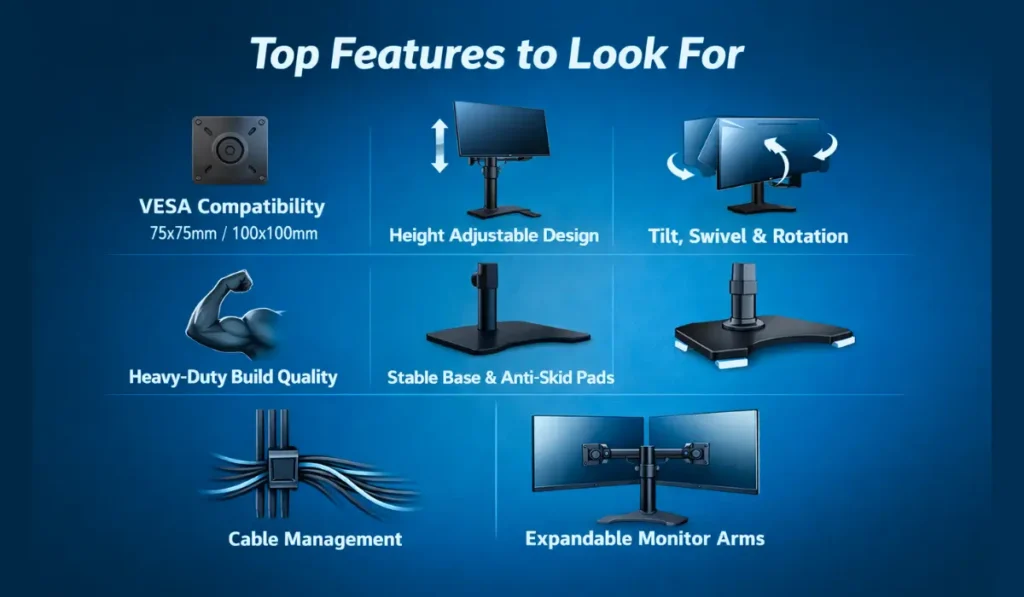
When choosing a gaming monitor floor stand, focus on features that directly impact comfort, stability, and long-term usability:
- VESA Compatibility (75×75 mm, 100×100 mm) for wide monitor support
- Height Adjustable Design for ergonomic eye-level viewing
- Tilt, Swivel & Rotation for glare reduction and flexible angles
- Heavy-Duty Build Quality to support large or curved gaming monitors
- Stable Base with Anti-Skid Pads to prevent wobbling
- Integrated Cable Management for a clean gaming setup
- Expandable Monitor Arms for future multi-monitor upgrades
Common Mistakes Buyers Make
Avoid these frequent errors when buying a gaming monitor floor stand:
- Ignoring the monitor’s weight capacity
- Forgetting to check VESA mount compatibility
- Choosing low-cost stands with poor stability
- Not measuring available floor space
- Buying single-monitor stands when future upgrades are planned
Top Use Cases for Gaming Monitor Floor Stands
Gaming monitor floor stands are ideal for:
- Competitive & esports gaming setups
- Dual or triple monitor streaming stations
- Home office and hybrid work environments
- Simulation gaming (racing or flight sims)
- Gaming cafés, esports arenas, and demo zones
Their flexibility makes them suitable for both personal and commercial use.
Installation Tips for Optimal Setup
Step-by-Step
- Clear your workspace
- Attach VESA brackets to your monitor
- Secure arms to the floor stand base
- Mount monitors one at a time
- Adjust height and angle
- Route cables neatly
- Test stability and viewing comfort
Keep user manuals available; they often include safety tips.
Maintenance & Care
A well-maintained gaming monitor floor stand can last many years.
Routine Maintenance Checklist
- Wipe surfaces weekly with a microfiber cloth
- Check bolts every 3–6 months
- Inspect joints and arms for smooth movement
- Ensure the base remains stable on the flooring
Why Choose iSLate Technologies for Your Floor Stand
If you’re searching for reliable, ergonomic floor stands in India and globally, iSLate Technologies is a standout provider. They offer:
- A wide range of floor stands
- Support for single and multi-monitor mounts
- Sturdy build quality with reliable hardware
- Customer support for setup and product selection
Whether you’re in India’s tech hubs like Bengaluru, Delhi, Mumbai, or elsewhere worldwide, iSLate Technologies delivers premium floor stand accessories designed for durability and performance.
Their solutions help you build immersive setups, perfect for streaming, esports, professional tasks, or personal entertainment.
How to Compare iSLate Products With Other Brands
When comparing gaming monitor floor stands, evaluate:
- Build strength and material quality
- Range of monitor sizes supported
- Smoothness of adjustments
- Upgrade flexibility
- After-sales support and availability
Related Accessories That Enhance a Floor Stand Setup
Enhance your gaming setup with:
- Monitor light bars for eye comfort
- Cable sleeves for cleaner layouts
- RGB lighting for immersive ambiance
- Ergonomic gaming chairs
- Surge protectors for equipment safety
Final Thoughts
Choosing the right gaming monitor floor stand isn’t just about how good your setup looks — it’s about how it feels to use every day. The right stand can improve your posture, reduce strain during long gaming sessions, and help you get the most out of your screen space. When you invest in a well-built stand with the right features, you’re not just upgrading your setup—you’re upgrading your overall gaming experience.
Whether you’re running a simple single-monitor setup or an immersive triple-monitor battlestation, this guide has walked you through everything that matters: what to look for, how to set it up properly, and how to make a smart, future-proof buying decision.
And if you want a solution you can truly rely on, iSLate Technologies delivers performance-focused gaming monitor floor stands designed for comfort, stability, and long-term use—serving gamers and professionals across India and around the world.




Pingback: The Complete Floor Stand Guide | Choose The Right Floor Stand