
A Digital Podium for Classroom isn’t just an upgraded lectern; it’s a catalyst that changes how teachers present, students participate, and schools manage learning. From KG–1 classrooms to university lecture halls and corporate training rooms, electronic podiums for the classroom are reshaping the learning experience by combining touchscreens, AV control, connectivity, and content management into one teacher-centered command center. In this long-form guide, I’ll walk you through real use cases, practical workflows, measurable classroom outcomes, deployment best practices, ROI considerations, and tips for successful adoption.
(P.S. We at iSLate Technologies design and supply digital podiums across India and globally, so you’ll also find notes on procurement and support.)
Why a Digital Podium for Classroom Matters Today
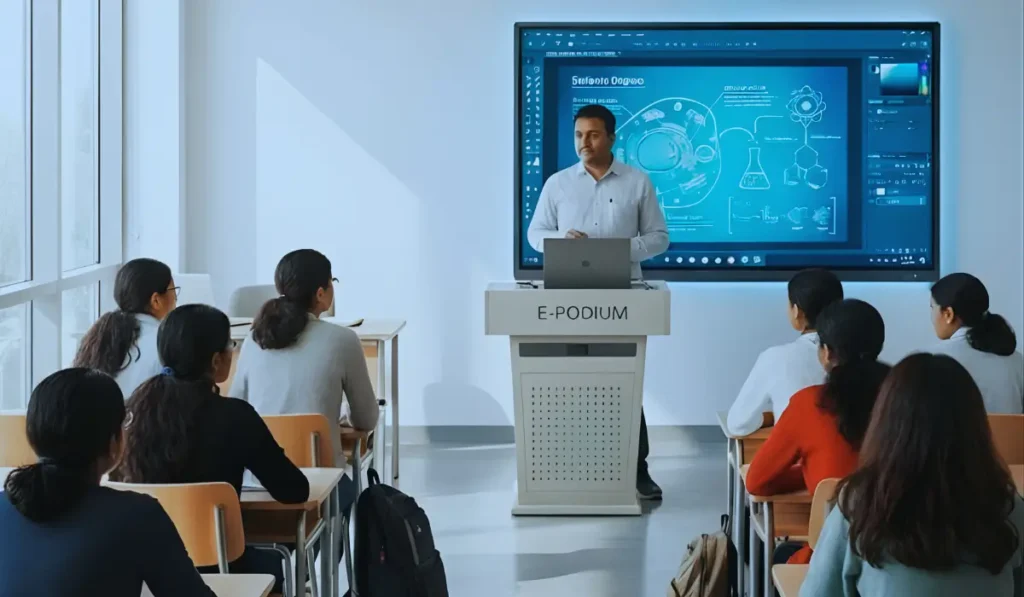
Modern classrooms demand flexibility: hybrid lessons, lecture capture, interactive content, and accessibility features. Traditional podiums force teachers to juggle laptops, remotes, switchers, and cables. A digital podium for the classroom consolidates these functions — giving educators a single, intuitive interface to control AV, launch lesson content, annotate in real-time, switch between inputs, and push materials to student devices. That streamlining reduces technical friction, improves lesson flow, and creates time for what matters most: instruction and student engagement.
What is a Smart Podium For The Classroom (Components & Capabilities)
A smart podium for classroom typically includes:
- Touchscreen console: 21–27″ (or larger) touch display for lesson control and annotation.
- Integrated PC or OS: Windows, Android, or embedded OS for running apps and LMS interfaces.
- AV control: Built-in matrix switching for projector/LED screen, speakers, mic, and HDMI/SDI inputs.
- Document camera & webcam: For live close-ups and high-quality streaming.
- Microphone system: Gooseneck mic + wireless lav options; sometimes with DSP noise reduction.
- Lecture capture/recording: One-click record to local storage or network/cloud upload.
- Network connectivity: Ethernet / Wi-Fi / VLAN support for secure device access.
- Peripheral ports: HDMI, USB-C, VGA (legacy), audio in/out, USB-A for thumb drives.
- Control panel or soft UI: Simplified controls for novice teachers (start/stop recording, volume, input source, lighting presets).
- Security & lockable compartments: Protects gear and manages inventory.
- Optional accessories: Student response systems, interactive whiteboard integration, and remote monitoring.
This convergence of features transforms the podium from a physical perch into a digital nerve center for teaching.
Real use cases: How teachers actually use a smart podium in the classroom
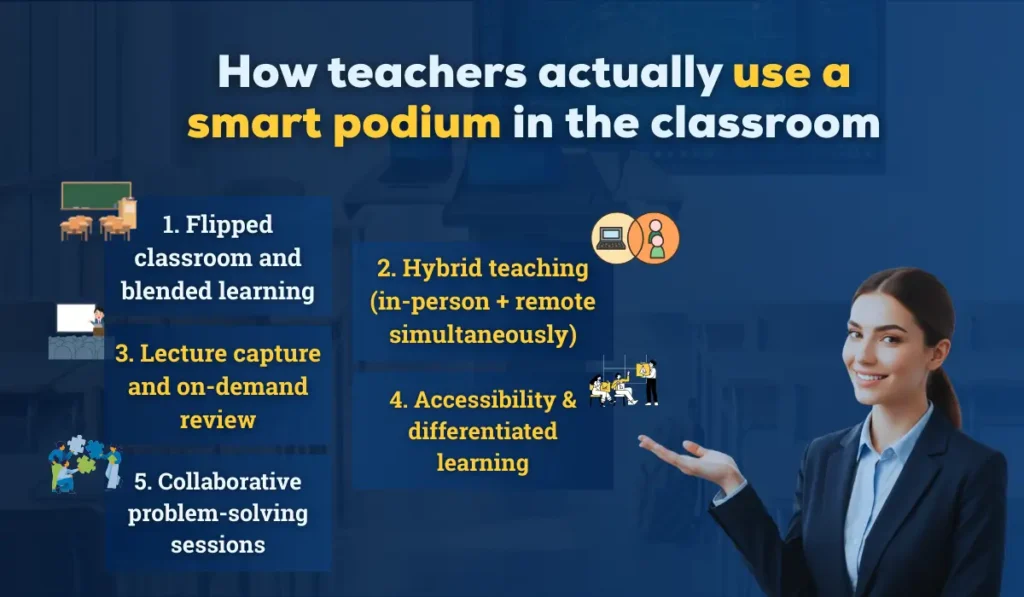
Here are real-world scenarios (in many cases derived from common classroom practice) that show how an electronic podium for the classroom produces value.
1. Flipped classroom and blended learning
Workflow:
- The teacher uploads pre-class video and slides to the LMS.
- In class, they open the lesson on the digital podium, annotate slides live, and pull short formative quizzes.
- Students access the annotated notes and quizzes via the school network or BYOD.
Outcome: Higher pre-class preparation, targeted in-class activities, better use of face-to-face time.
2. Hybrid teaching (in-person + remote simultaneously)
Workflow:
- The teacher selects “hybrid” mode on the podium UI.
- Camera auto-tracks or the teacher uses a PTZ camera controlled from the podium; microphone routes to the mixer.
- Lecture capture records local screens and distributes a live stream to remote students; Q&A from chat is displayed on the podium.
Outcome: Seamless experience for remote learners and parity between in-room and remote participants.
3. Lecture capture and on-demand review
Workflow:
- Instructor presses one button to start recording; the podium captures screen, audio, and presenter camera.
- Recordings auto-upload to the cloud LMS, where students can re-watch difficult segments or catch up.
Outcome: Improved retention, better exam preparedness, fewer missed lessons.
4. Accessibility & differentiated learning
Workflow:
- Podium offers closed captions (on-device or cloud), larger fonts, and audio boosts.
- Teachers can push alternative-format content (transcripts, simplified slides) to students with special needs.
Outcome: Greater inclusion and compliance with accessibility requirements.
5. Collaborative problem-solving sessions
Workflow:
- Teachers use the podium’s annotation tools to demystify problems live, then send snapshots of annotated work to students.
- Small groups use shared content to work on projects; the teacher monitors progress via the teacher dashboard.
Outcome: Active learning, improved collaboration, faster feedback loops.
Explore the Benefits of Digital Podiums
Typical classroom workflow — step-by-step using a digital podium for classroom
A repeatable workflow reduces tech anxiety and speeds adoption. Here’s a practical flow teachers and IT teams can follow:
- Pre-class setup (teacher):
- Upload content to LMS or local drive.
- Configure classroom preset (projector, camera angle, mic gain).
- Start class (1-button launch):
- Power up the integrated PC, display content, and enable lecture capture.
- Power up the integrated PC, display content, and enable lecture capture.
- Teach (interactive):
- Annotate slides with a touchscreen pen, pause recording for side notes, and recall saved annotations.
- Use quick polls to check understanding; collect responses instantly.
- Switch sources smoothly:
- Use the podium UI to switch between document camera, laptop, or video.
- Use the podium UI to switch between document camera, laptop, or video.
- Wrap-up & share:
- Stop recording; auto-upload to LMS.
- Export annotated notes or snapshot PDFs to students’ emails or the class drive.
- Post-class analytics:
- Review lecture capture analytics (views, drop-off points) and quiz stats to plan remediation.
This workflow emphasizes simple controls, predictable outputs, and data-driven follow-up.
Measurable classroom outcomes
Investing in a digital podium for the classroom transforms teaching, but administrators want KPIs. Measurable outcomes include:
- Increased student engagement: More interactions per lesson via polls and annotations.
- Higher retention rates: Students revisit recorded lectures; comprehension improves.
- Reduced downtime: Fewer class interruptions for tech troubleshooting.
- Teacher efficiency: Faster content delivery and automated sharing save prep and grading time.
- Accessibility gains: Better inclusion metrics for learners with disabilities.
- Evidence-based teaching improvements: Analytics from captured lessons and quizzes inform pedagogy.
While exact percentages vary by institution, early adopters routinely report improved attendance for recorded review sessions and lower tech-related class delays.
Best practices for implementing a smart podium for classroom
To maximize benefits, follow these deployment best practices, and align your rollout with our smart digital podium setup guide for teachers and IT teams.
Here are short practices:
- Start with teacher training, not hardware. Prioritize short, hands-on workshops that focus on everyday tasks: start/stop recording, switch inputs, annotate, and share.
- Design simple UI presets. Create “lecture”, “lab”, and “presentation” presets to reduce cognitive load.
- Integrate with LMS. One-click upload to the Learning Management System simplifies student access and rights management.
- Plan for network capacity. Recording and streaming place demands on bandwidth; segment traffic with VLANs and QoS.
- Provide redundancy. Local recording plus cloud backup reduces the risk of data loss.
- Accessibility-first configuration. Activate auto-captioning, high-contrast UI, and alternative formats from day one.
- Monitor and iterate. Use usage analytics to refine training and configurations.
Procurement & ROI considerations (for school leaders and IT)
When selecting a smart classroom digital podium, evaluate both technical and total-cost-of-ownership factors:
- Upfront costs vs. modular scalability: All-in-one podiums are convenient, but modular solutions (separate display + control box) can be cheaper to upgrade.
- Warranty & local service: Choose vendors with in-country support and spare parts, an area where iSLate Technologies offers installation, training, and support across India and internationally.
- Licensing & cloud fees: Platform subscriptions (lecture capture, captioning) can affect long-term costs.
- Teacher adoption rate: ROI is higher when >70% of staff use the system regularly; factor training costs accordingly.
- Product lifespan & upgrades: Look for podiums designed for 5–8 year lifecycles with upgrade paths.
Measure ROI by reduced class downtime, saved instructor prep time, fewer repeat lectures, improved student outcomes (grades, pass rates), and compliance improvements.
For evaluating technical and total-cost-of-ownership factors, you can use our ultimate smart podium buying guide.”
Common challenges & how to overcome them
Challenge: Teacher resistance to new tech.
Fix: Focus on time-saving tasks and real classroom wins in training. Pair early adopters with coaches.
Challenge: Network bandwidth constraints.
Fix: Implement scheduled uploads, on-prem recording caches, and prioritize educational traffic via QoS.
Challenge: Fragmented software stack (different apps, codecs).
Fix: Standardize on a small set of trusted apps, use interoperable codecs, and support common file formats (MP4, PDF).
Challenge: Privacy & data protection.
Fix: Secure recordings with access controls, encrypt storage, and follow local regulations (e.g., student data protection laws).
Designing classrooms around a digital podium
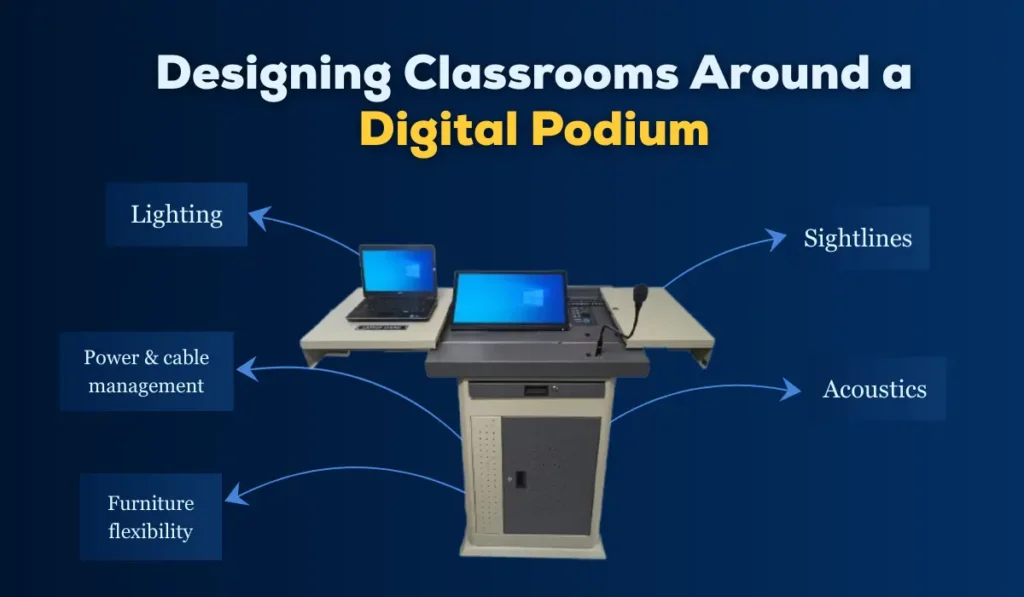
A podium is most effective when the room is designed holistically:
- Sightlines: Ensure students see both the main display and the lecturer; consider multiple displays in large rooms.
- Acoustics: Calibrate mic and speaker placement to avoid feedback and ensure clear audio.
- Lighting: Avoid backlighting the presenter; use lighting presets controlled from the podium.
- Power & cable management: Hide cabling and provide USB-C charging for laptops and devices.
- Furniture flexibility: Mobile podiums enable multi-use rooms for collaboration or exam settings.
This integrated approach yields lasting value from your digital podium investment.
Choosing the right vendor: what to ask
When you evaluate suppliers, ask:
- What warranty, SLA, and on-site support options are available?
- Do you provide teacher training and sample lesson templates?
- How does the podium integrate with our LMS and existing AV gear?
- Can recordings be auto-published and access-controlled?
- What analytics and reporting capabilities exist?
- Is the product field-upgradable and modular?
At iSLate Technologies, we work with institutions across India and globally to answer these questions, provide deployment services, and support long-term adoption.
Future trends — where electronic podiums for the classroom are headed
- AI-assisted teaching: Auto-summarization of lectures, automated quiz generation from recorded sessions, and smart captioning improvements.
- Ubiquitous lecture capture: Recording becomes routine, enabling microlearning and analytics-driven personalization.
- Interoperable ecosystems: Seamless integration with video platforms, LMSs, and campus analytics.
- Edge processing: On-device processing for captions and analytics to reduce cloud dependence and latency.
- Sustainability: Long-life hardware and energy-efficient designs to meet sustainability goals.
These trends will make the digital podium even more central to teaching strategies.
Conclusion
A Digital Podium for Classroom (sometimes called an electronic podium, smart podium) does more than modernize furniture; it reimagines the teacher’s workflow, amplifies student engagement, and produces measurable improvements in learning outcomes. Whether your institution wants to enable hybrid classes, improve accessibility, capture lectures for on-demand learning, or simply reduce tech friction, a thoughtfully selected and well-supported digital podium is a high-impact investment.
If you’re exploring solutions, consider the total cost of ownership, staff training, network readiness, and vendor support. At iSLate Technologies, we provide end-to-end digital podium solutions and services across India and globally, from needs assessment and installation to training, managed support, and lifecycle upgrades. Reach out if you’d like a demo, classroom design consultation, or a pilot program tailored to your institution.



Pingback: Smart Podium Buying Guide for Education & Corporate Places
Pingback: Smart Digital Podium Setup Guide for Teachers and IT Teams
Pingback: Benefits of Digital Podiums | Smart Presentation & Teaching Guide